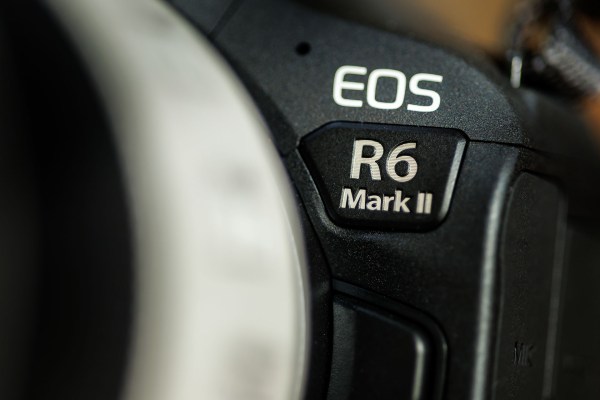
It was only last summer that I made the jump to using Canon EOS R6 bodies for the majority of my work and now I’ve swapped to the R6 MkIIs. I had listened to my own wisdom for a few months and calculated that I couldn’t make the business case for going for an upgrade so soon. Then I got to play with a MkII and I changed my mind.
There wasn’t one thing that made me make the swap – it was a list of little upgrades here and there that made my mind up for me.
- 24 megapixels feels like a better option that 20
- Newer chip technology
- Having the option to transmit SFTP as well as FTP and FTPS
- 40 frames per second should I ever need it
- The new smart hot shoe system that works with the EL series flash units
- Access to the tiny and rather amazing ST-E10 speed light transmitter
- Dual pixel RAW
Now that I’ve been working with the new cameras for a couple of weeks I’m really happy with them but I have really only used one of the new features that I’ve listed above and that’s my new favourite Canon accessory; the ST-E10 transmitter. If you haven’t seen one yet then there’s a picture below. It doesn’t need any batteries and the menu shows up on the camera’s rear screen instead of on a tiny LCD so instead of pressing tiny buttons with inelegant fingers you get to use the controls on the camera instead. It has great range (Canon claim up to 30 metres and I have successfully used it at about 12 in a real world setting) and it is really well thought out. So far it only works with the cameras that have the new smart hot shoe (so the R3 and anything newer) and works with EL flashes as well as those with the letters RT in the model name. I’ve been using it with my trusty 600ex RTII Speedlites and it really hasn’t missed a beat.

In use, and part from the ST-E10, there’s nothing super-special about the R6 MkII but when it comes to editing images shot at eye-wateringly high ISOs then I’ve noticed something rather cool. Put simply, high ISO files from the R6 MkII react incredibly well to noise reduction in Adobe Camera RAW and/or Topaz Denoise AI. With the ability to mask off areas where you don’t want the noise reduction to be so prominent in ACR you really can shoot these new bodies at higher ISOs than the original R6 in much the same way that you can with an R3.
So, I hear you ask, is there anything wrong with the R6 MkII? Sadly the answer is ‘yes’.
- There’s the perennial problem of no lock on the diopter correction which I have always used gaffer tape to sort out.
- More importantly, I’d love to hear a rational explanation regarding why they moved the camera on/off switch to the right hand side of the top plate from the left and then stick a video/stills switch where the power button used to be.
- There’s still no option to add voice memos to images that you wish to transmit.
I’m sure that it has something to do with Canon’s expectation that the market for this camera is with people who shoot a lot of video but it is an annoyance for anyone who shoots an R6 MkII alongside an R6 or an R5. The scope for the video/stills switch to get moved whilst carrying cameras over your shoulders is there and so I’d invite Canon to add the ability to electronically neuter that switch.
So there you have it. Not a review as such but a quick appraisal of what I like and don’t like about the R6 MKII from the perspective of a former R6 user. At the end of the day, they are both immensely capable cameras that weigh very little, cost something less than an arm and a leg and that allow me to produce and distribute images with ease.
 Neil Turner Photographer
5 comments