Some of my posts here on the blog over the years have drifted into the “niche” category. I’m afraid that today we are going full steam ahead into the heart of niche-ness.
I have mentioned Canon’s Content Transfer Professional app a few times without reader comment. After last month’s post about a very busy few weeks I received three separate requests to expand on why I bother to pay £5.99 a month for an app that a lot of my colleagues find difficult to use, uninspiring and a bit of a waste of their hard-earned money. At the risk of sounding like a salesman from the Canon app team I’m going to try my best to explain what it is, what it does and what it doesn’t do.
Looking at version 1.2.10.15 (build 458), I’m going to start with “what it doesn’t do”. There are two reasons why I have chosen to write that way around:
If you are looking for something that this app cannot do then I’m saving you time and giving you a reason to stop reading.
Should Canon’s app development team happen to read this then maybe they can find a way to get this already useful app to do some, or all, of the things that it can’t and won’t do.
A few months ago I wrote a blog post about the replacement cycle that I have been through since my very first laptop arrived in 1994. It’s complicated because for the last fifteen or so years I have always had at least two laptops on the go at any given time. That has tended to mean a “full-sized” MacBook Pro for the serious editing sessions and a MacBook Air for lugging around with me on jobs. Supplement that with a desk based computer and I’ve always been pretty well equipped.
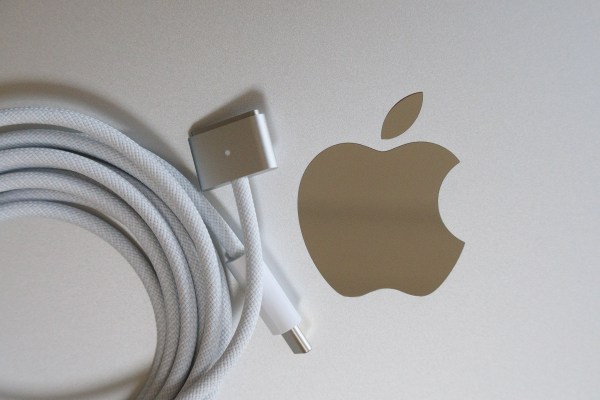
About six hours after I posted which M4 chipped MacBook I was going to get Apple announced the M5 series of processors and I decided to wait a little while before committing my hard earned cash. I’ve watched the reports about the various configurations of M5 MacBook Pro models but in the end I decided that my need for a lightweight Mac was greater and ordered an M5 powered MacBook Air for delivery on the first day they became available. That was a couple of days ago and so far (and it really is early days) I am delighted with it. I opted for a 13″ M5 10‑core CPU, 10‑core GPU, 16‑core Neural Engine model with 24Gb of RAM and a 1TB hard drive and, as you can see from the photograph above, I opted for the silver finish over the other options as it looks less conspicuous.
After setting it up from a Time Machine backup on a fast SSD external drive and going through and swapping licenses around to enable everything to work my new Mac was ready to roll. “So how is it going?” I hear at least one of you asking…
Writing a blog for over a quarter of a century means occasionally repeating yourself and/or celebrating anniversaries of things. Back in 2011 a regular follower of my posts used my “Ask Me a Question” link to enquire about what was in my day-to-day camera bag. I duly wrote a post called “In My Camera Bag” in which I listed everything that was in my go-to bag of choice at the time. A couple of Canon EOS5D MkII bodies, two 580ex II flash units and 16-35, 24-70 and 70-200 f2.8 L lenses lived in a LowePro Stealth Reporter 650AW bag along with a Mac laptop and quite a few accessories. That was a heavy bag.
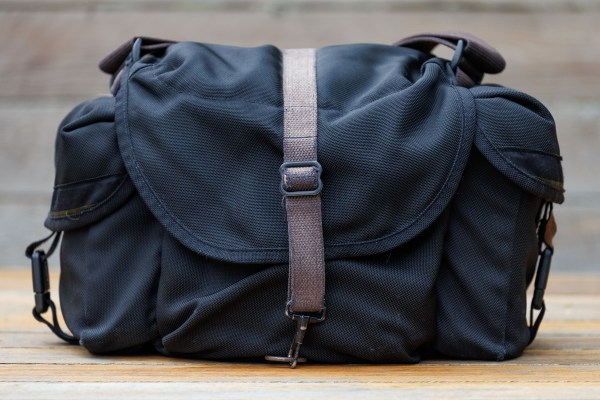
Fast forward seven years to 2018 and my much loved and rather ancient Domke J3 camera bag (pictured above) was filled with two EOS5D MkIV bodies, 16-35, 24-70 and 70-200 f4L lenses with two 600EX RT II flashes. By this time my laptops were carried in a tiny little rucksack because I’d been through some bad experiences with a spinal issue and didn’t necessarily need to carry it all of the time. I’m not sure when I bought the bag but it was well over twenty years ago and when I wrote the 2018 remix version of what I carried in my camera bag of it was already my well-worn favourite.
So, a further seven years on, here are some short updates on a few bits of kit that still spend a considerable amount of time in the same old bag.
Canon EOS R6 MkII camera bodies
Canon EOS R5 MkII camera bodies
Canon RF 14-35 f4L lens
Canon RF 24-105 f4L lens
Canon RF 70-200 f4L lens
Canon RF 100-500 f4.5 – 7.1 L lens
Canon EL5 Speedlites
Canon ST-E10 Speedlite transmitters
Out of the two R6 MkII and two R5 MkII bodies there will be a total of two in the bag at any given time. I leave it packed with one of each just in case I get a short notice job and need to run out of the door but I rarely work that way and so I will pack the right bodies for the job before I leave and keep the others in the rolling bag with the rest of the spare kit because not all of it can be accommodated at the same time, and even if it could that would be a seriously heavy bag. Laptops live in small rucksacks or a Think Tank rolling bag depending on what I’m doing. I’m not going to mention the other gear sitting in a cupboard in my office but there are a few camera bodies, a dozen or so lenses and more flash units than any sane person should own. So, if you like the shortened version of the kit review – it goes like this:
I’ve lost count of the number of times I have raved about the various incarnations of the Elinchrom Ranger Quadra and Quadra ELB 400 flash units that I have owned and used for fifteen or more years. At the end of 2023 I named it as “my favourite piece of old equipment” and in 2013 I wrote that the development of the lithium ion battery for the Ranger Quadra was one of the best things that had ever happened to my kit.
Those things are still true. I still use the gear on an almost daily basis and even a quick outing with some very nice Profoto kit didn’t make me want to switch. I used capital letters for the word BUT in the title of this post because I am really disappointed with Elinchrom.
I have used their gear since I left college 1986 and I have always appreciated their service and the way that they supported old equipment. It hurts to have to call them out on this point but less than seven years after buying my last Quadra ELB 400 pack and battery they no longer sell, service or even support the Lithium Ion batteries that the whole system depends on.
I doubt that I am being remotely controversial when I say that no photographer wants to do more paperwork than is absolutely necessary. Time spent filling out forms, dotting the i’s and crossing the t’s feels wrong – especially when your work and your passion is all about the creative process.
The regularity with which I have to complete RAMS (Risk Assessment and Method Statement) forms and declarations has grown. Conversations with colleagues appear to confirm that this is happening right across the photography industry.
During my first spell as freelance photographer (1986-1994) most of my work was editorial and when I did one of the few advertising and corporate jobs that I was offered, the subject of RAMS was never mentioned. Back then nobody asked about public liabilities insurance either.
I am delighted to announce that not only do I have a shiny new iPad but that I have pretty much nailed down my iOS workflow whilst using it. I went for the Mini simply because I like the size. It is easily hand-holdable, is significantly bigger than the largest iPhone and it fits in my Think Tank Press Pass 10 bag which has become a very regular part of my day-to-day shooting kit. It’s clearly not as powerful as the larger and more expensive iPad Pro models but it fulfils my requirements rather well – even when working with the larger files from the EOS R5 MkII.
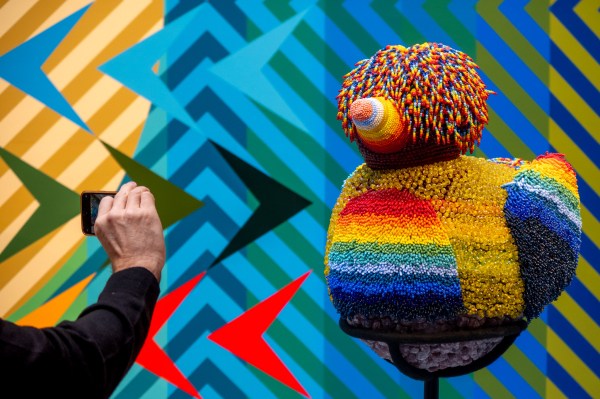
Every time I get a new compact camera (and there have been quite a few) I come onto my blog and talk about it. Just under a year ago I got the Canon Powershot G5X MkII to replace my G7X MkII and took it on a family holiday to Venice. Earlier this month we were back in the same city with the same camera but this time the vacation was all about art. The Venice Biennale and all of the fringe shows that happen across the city are great places to see a lot of good, bad and occasionally indifferent art and, for a photographer, it’s a great place to see people interacting with it.
A couple of months ago I mentioned that I was due to take delivery of my first Canon EOS R5 MkII camera body. They are in great demand and the waiting lists at just about every retailer are pretty long and so I was delighted when mine turned up a little over a month ago. When work permitted I got down to the nerdy business of getting to know everything about it. Of course the menus were very familiar to my other Canons but different enough that they needed a few hours of study. The layout is also similar enough to my much-loved EOS R6 MKII bodies that the camera worked ergonomically from day one, hour one and pretty much minute two.
Having two different formats of memory card in the same camera has never been ideal and once again we have SD plus CF Express B and so it took a few minutes to decide how I was going to shoot making the best use of the two cards. In the end I opted for JPGs to the SD card and RAW files to the more robust (and larger capacity) CF Express card. Pretty much every other function is set up to match my existing cameras but it was the way that you set up and use FTP direct from the camera that took the longest to get my head around and become happy with.