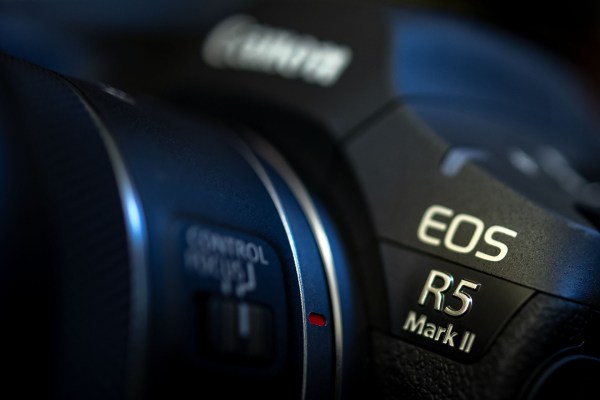
A couple of months ago I mentioned that I was due to take delivery of my first Canon EOS R5 MkII camera body. They are in great demand and the waiting lists at just about every retailer are pretty long and so I was delighted when mine turned up a little over a month ago. When work permitted I got down to the nerdy business of getting to know everything about it. Of course the menus were very familiar to my other Canons but different enough that they needed a few hours of study. The layout is also similar enough to my much-loved EOS R6 MKII bodies that the camera worked ergonomically from day one, hour one and pretty much minute two.
Having two different formats of memory card in the same camera has never been ideal and once again we have SD plus CF Express B and so it took a few minutes to decide how I was going to shoot making the best use of the two cards. In the end I opted for JPGs to the SD card and RAW files to the more robust (and larger capacity) CF Express card. Pretty much every other function is set up to match my existing cameras but it was the way that you set up and use FTP direct from the camera that took the longest to get my head around and become happy with.
I have held off writing this for a while because I don’t believe that I have shot any work with it that has genuinely stretched the capabilities for which I wanted it. No big set-piece portraits making use of the impressively large files and no need to shoot any video with it. Most of what I have done has been in very low light and intended for print and social media usage – the kind of territory where the R6 MkII excels. The thing that has surprised me is how good the R5 MkII is at 6400 – especially with a small amount of noise reduction (NOT denoise). The R6 MkII is better in low light from 1600 ISO upwards but not by as much as I would have guessed. The low light comparisons were made even more interesting when, part way through the month, Canon UK kindly lent me an EOS R1 to try. It’s quite a big camera with tons of functionality and innovation chucked in and in my hands it feels a bit too big. I have shot almost exclusively without grips either bolted onto or built into the cameras since the end of 2008. What I was really impressed by though was just how good the R1 files are at 25,600 ISO. This is low light performance at its’ current best and it shades the R6 MkII by at least one f-stop.
Using an R1 and an R5 MkII side by side isn’t my ideal set up but Canon have done really well to virtually match the menus on the two making it far easier to work with mismatched bodies. This is especially true with the wireless options in general and FTP from the camera in particular. I also borrowed the ethernet grip for the R5 MkII for a week or so and that made the transmission functions even more closely matched.
Anyway, the R1 is lovely, has the clearest and best sized viewfinder and LCD screens that I have ever used and is an all around brilliant piece of kit. I’m not, however, even remotely thinking of buying one.
Back to the R5 MkII. There are a few features that this camera has that make me think that getting a second one and using them as my main day-to-day kit might be a really good idea:
- Fantastic viewfinder that allows me to shoot with my glasses on more easily than any other Canon camera bar the R1. I don’t need glasses all of the time but that will inevitably change and I am already at the stage where I am taking them on and off a lot – especially to view images or adjust settings on the rear LCD.
- Voice tagging is a pro function that is missing from the R6 MkII and something that I need from time to time and maybe often enough to mean that the R5 MkII makes sense.
- Subject priority is a feature that I was skeptical about but now I have the option to use it I love it. Loading in up to ten familiar faces that the AF prioritises in the order you can set and edit means that if, like me, you spend a lot of time photographing the same half a dozen people the camera’s auto focus recognises them and locks onto them. Bottom line, it really does work well.
- Reestablishing interrupted FTP connections is a feature that we have been asking for. When you have been transmitting images from the camera to an FTP server and the signal breaks down or gets interrupted that has often meant having to actively reestablish the connection. The R5 MkII and the R1 now re-make lost connections without you having to do anything and that’s a big plus.
- Lastly in this short list, and the single feature most likely to make me jump over, is having flash synch with the electronic shutter. When I swapped to mirrorless I wrote about having to set up one of the custom shooting modes (C3 in my case) as a flash option with mechanical shutter and manual exposure. This has been an effective workaround for the last two years but, no matter how good a workaround is, there’s no getting around the fact that it is still suboptimal.
If this is all starting to sound like an homage to Canon and their kit then I have two answers to that. The first is that this is a very good camera and I haven’t felt as positive about a new body since I got my EOS 5D MkIVs to replace my MkIIIs. This is a case of evolution meeting revolution and settling happily somewhere in between. Secondly, there are a few downsides to the R5 MkII:
- Canon have added a diopter correction dial with a lock on the R1 but not on the R5 MkII. Why? It has been a bugbear of mine for as long as I can remember and yet again I find myself reaching for the gaffer tape to stop the diopter dial moving on its own. Yes it is very stiff but it isn’t locked.
- In creating an excellent automatic FTP reconnection option Canon have somehow managed to stop the user from adding the same end server with multiple wifi connection options and changing their nicknames so that you can choose easily between them. This has all of the hallmarks of something that can be sorted out with a firmware fix. I hope so.
- Having to buy an expensive extra grip to be able to use ethernet connectivity with the camera shouldn’t be necessary in this day and age. It isn’t even the cost that I mind (although I’d rather not pay it) but having to shoot with extra weight and bulk on an ergonomically beautifully sorted camera is annoying. These cameras have USB type C ports and a USB type C to RJ45 converter dongle running from the port to an ethernet cable should be an easy accessory to make and an easy function to have built-in.
- I like the new multi-function hot shoe that Canon have adopted on all of the recent cameras and the cover that comes with the R1 and the R5 MkII is pretty good but when (not if) you lose it the replacement cost is mad. This should be a $5 maximum and not the crazy price Canon charge. The simple and cheap option that the R6 MkII uses with a ready supply of after-market options is what I will be using from now on.
If Canon’s engineers and marketing team can sort out some or all of the above niggles that would be great. I’d like to finish this brief look with a couple of features that could be considered for future cameras or even added via the firmware to this one:
- In the menu you can turn off all sorts of things and restrict others. I would like the option to turn off any option to select self-timer as one of the drive speeds. I don’t know how it happens but three times in the last week the self-timer has apparently selected itself. This has also happened on an R6 MkII and I’d love to be able to disable self-timer completely in the menu.
- Disabling the stills/video switch would also be something that I and others using this camera would like. I saw a couple of colleagues yesterday and both of them had gaffer tape covering the prominent switch. Ideally this could be added to the multi-function lock menu.
- This is a really niche request so please bear with me; now that we have the ability for the AF to recognise up to ten faces and track them I would like the option to add the names to this people and for the camera to add the name of the person it focused on to the IPTC metadata captured for that frame using one of the standard IPTC fields such as persons featured.
This is a great camera with superb image quality and a whole host of professional features. Of course it could be better but the bottom line question is always going to be “would you get another one and use them as your main cameras?” The answer is very probably but there’s always that niggling though about what an R6 MkIII might be like.
 Neil Turner Photographer
Thanks for the review on the RKII. I am 80% sure that this is my next camera within the next 6 months. Cameras are like computers, there is always a newer, shinier one around the corner. I am working with the original EOS R and find it capable in most situations. I would like better quality pictures in low light situations though. For some reason, I have a ghost in my machine as well. On occasion the settings will go to full auto across the board and I have to reset them. It forces me to check them often.
LikeLike