iOS

iOS editing update

Screenshot of Lightroom on an iPad Mini.

A couple of months ago I posted the latest update about my long-term quest to be able to do quick edits and add full captions to my Canon images using Apple iOS devices. At the time I was using my iPhone because the apps that I wanted to use weren’t compatible with my old 2017 iPad Mini. Then Apple released a significantly updated version of the smaller iPad and I dived in and bought one (256 Gb wifi + Cellular model).

Bingo.

I am delighted to announce that not only do I have a shiny new iPad but that I have pretty much nailed down my iOS workflow whilst using it. I went for the Mini simply because I like the size. It is easily hand-holdable, is significantly bigger than the largest iPhone and it fits in my Think Tank Press Pass 10 bag which has become a very regular part of my day-to-day shooting kit. It’s clearly not as powerful as the larger and more expensive iPad Pro models but it fulfils my requirements rather well – even when working with the larger files from the EOS R5 MkII.

(more…)
Another look at editing on iOS mobile devices

Back in February 2018 I concluded that I had failed to develop a decent workflow for the iPad or iPhone and that if I had the time I’d come back and continue with the quest. Since then I’ve occasionally used versions of my previous workflow and have dabbled with new options as they have come to my attention. Some six and a half years later I bring good news if you shoot with Canon and don’t mind paying for useful applications on subscription.

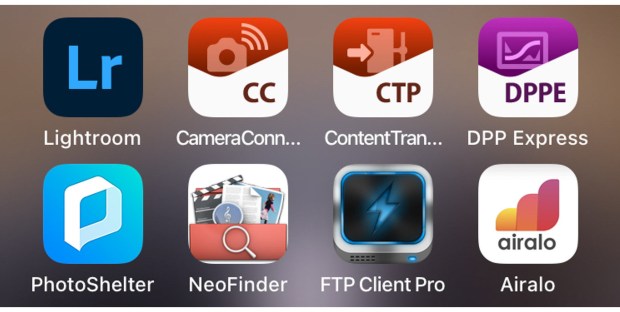
With the help of Canon and Adobe I think that I have now got a usable and developing workflow for importing, editing, captioning and transmitting images from my iPhone. All of this is currently only possible on my phone because my iPad is a bit out of date and cannot load one of the key applications. Apple announced a new version of the iPad Mini this week which prompted me to post this update.

Let’s talk about what has changed to make me so positive about what’s now possible:

(more…)

My iPad workflow – some conclusions


Over the last couple of months I have been looking hard at the whole idea of an iPad and iPhone based workflow for the kind of photography that I do. I have tried to find a workflow that is repeatable and adaptable that could replace my tried and tested (and damned good) workflow on a laptop or desktop computer.

I’ve failed.

After trying different iPads and iPhones as well as dozens of apps and an endless combination of those apps I have come to the conclusion that there is no way that an iOS device can replace a computer for the vast bulk of my work. There are several reasons for this but the main one is that iOS was never designed for this kind of heavy lifting and the way that you move files around between apps is still pretty painful and that it is even worse with RAW files. Don’t get me wrong, using a fully-loaded top of the range iPad Pro with decent internet connectivity and a keyboard you get really close to a good workflow but by then you have a device costing at least £1,000.00 (and a lot more if you go for the 12″) which weighs and costs almost as much as an Apple MacBook without the access to rock solid made-for-the-job applications. (more…)