ftp

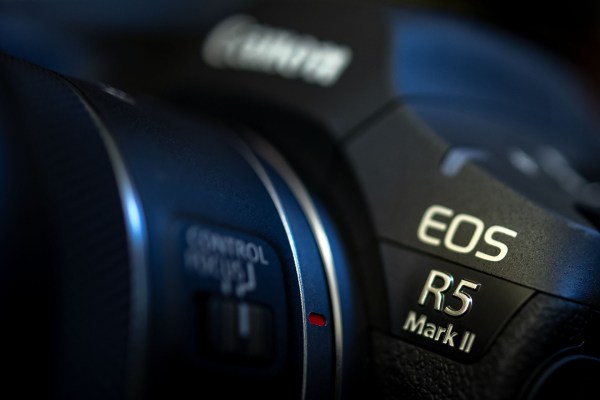
Canon EOS R5 MkII – one month in


A couple of months ago I mentioned that I was due to take delivery of my first Canon EOS R5 MkII camera body. They are in great demand and the waiting lists at just about every retailer are pretty long and so I was delighted when mine turned up a little over a month ago. When work permitted I got down to the nerdy business of getting to know everything about it. Of course the menus were very familiar to my other Canons but different enough that they needed a few hours of study. The layout is also similar enough to my much-loved EOS R6 MKII bodies that the camera worked ergonomically from day one, hour one and pretty much minute two.

Having two different formats of memory card in the same camera has never been ideal and once again we have SD plus CF Express B and so it took a few minutes to decide how I was going to shoot making the best use of the two cards. In the end I opted for JPGs to the SD card and RAW files to the more robust (and larger capacity) CF Express card. Pretty much every other function is set up to match my existing cameras but it was the way that you set up and use FTP direct from the camera that took the longest to get my head around and become happy with.

(more…)

Live pictures

This photograph of The Most Revd and Rt Hon Justin Welby, Archbishop of Canterbury walking from Lambeth Palace to Westminster Abbey accompanied by another Archbishop and seven Bishops taking part in the Coronation of His Majesty King Charles III was transmitted from the camera as I walked backwards over Lambeth Bridge. ©Neil Turner. 06 May 2023

Before I ask you to imagine a scene, I’d like to point out that (for the avoidance of any doubt) this has never actually happened. There’s a big group of clients and potential clients staging a demo with placards and a megaphone with the chant

“What do we want?”

“Great pictures!”

“When do we want them?”

“As fast as the technology will allow!”

News and sports photographers are all very well versed in supplying pictures really quickly. These days that mostly means transmitting directly from the camera or, as a fall back, moving images via their smartphone or tablet or even sticking cards into a laptop every few minutes during the event to upload from there. I’ve talked a lot about FTP from the camera and have even made a couple of tutorial videos about exactly how to do it with the various Canon cameras that I’ve used. Obviously the concept is exactly the same with Sony and Nikon as well as some of the latest Fujifilm bodies.

(more…)

FTP and the Canon EOS R5

ftp with the Canon Eos r5 tutorial

A little over three and a half years ago I made a video showing users how to do a simple set-up to transmit images directly from the Canon EOS 5D MkIV camera using the built-in FTP feature. Recently a chap who saw that video asked if I could do the same with the EOS R5. At that time I didn’t have access to an R5 so I made a note to get around to it ‘one day’.

Last week I needed to get my hands on one to make sure that it was able to transmit into a server that some of the photographers that I work with use. Thanks to Canon UK and CPS (Canon Professional Services) I have had the camera for a few days, ironed out any issues we had and so I thought that I’d go ahead and make a quick walk-through tutorial and comparison video.

The video is now on YouTube and you can use this link to watch it. Spoiler alert; (more…)

iPad workflow part four

Screen grab from Transmit for iOS on my iPad showing a twelve image upload in action.

There are so many ways that I deliver images to various clients these days that I feel that I’m bound to leave something off of this list. The great news for users of the iPad or iPhone to do quick edits of their work is that every single option that I use on the desktop machine is also available on iOS devices;

  • FTP– I use Transmit on the iPad and iPhone. I also have FTP options inside FSN Pro and Shuttersnitch that can all do a good job but Transmit does it all better.
  • Email – adding large numbers of attachments on the iPad isn’t my favourite way to send pictures but it works.
  • Dropbox – The iOS Dropbox app means that I can easily add files to folders on the cloud service and send links to those folders before, during or after the job. It has a very simple interface and works really well.
  • WeTransfer – I wasn’t very happy when the WeTransfer iOS app went over to functioning as “Boards” – making it a very different user experience from the ever-so-simple desktop version but I’ve got used to it and it works really well.
  • Photoshelter – The professional image sharing platform has a dedicated iOS app which is fairly easy to use and very functional.
  • Third Light – This is a niche Digital Asset Management platform used by two of my corporate clients and the iOS app does its job well.

(more…)