workflow

Workflow… again

Having just finished three weeks editing other people’s pictures at Wimbledon and a further six days doing the same for the Open Championship golf the topic of workflow and getting pictures to look good, be accurately captioned and delivered efficiently wasn’t too far from my mind when a conversation with another photographer prompted me to write this. In the last month (and in the last eleven or so years that I’ve edited other people’s work) I’ve edited files from all of the professional cameras from Canon, Nikon and Sony. On a less intensive basis I’ve edited pictures shot on Leica, Fujifilm and Hasselblad and probably a few others that I can’t recall right now and so anything I say is based on the notion that a good workflow isn’t all that dependent on what types of files you have.

I’ve said it before and I will, no doubt say it again but having a good workflow is absolutely central to the business of photography. In fact, when I speak to colleagues and friends most will excitedly tell me that their personal workflow is as good as it gets and surprisingly few will openly accept that they might just be able to do it that little bit better with a bit of training and practice. Personally I lean the other way; spending way too much time looking at different software, trying different techniques and generally trying to get my workflow a few percentage points better.

(more…)

#REALPHOTO

© Neil Turner. 2025

I have been toying with all sorts of social media for quite a while and my presence on any of them would best be categorised as “modest”. For the first time in my career I have been asked to actively engage with Instagram on behalf of a client and we have been discussing what sorts of hashtags should accompany any pictures that I post. I have been very keen to use something that makes it clear that mine are real pictures. Not adulterated, filtered, AI generated or in any other way the product of anything that would make a responsible photojournalist unhappy or even uncomfortable.

I did quite a bit of web-surfing before going onto a closed Facebook group made up of my peers and professionals whose opinions I respect and asking the question “what do other people do about marking their work out as AI FREE on social media posts?” There was a short but interesting discussion and one or two of my colleagues advised against my initial thought of #AIFREE on the grounds that it could be interpreted as being AI generated and/or free to use. The general consensus was to avoid the letters A and I altogether.

(more…)

He’s making a list…

He’s checking it twice… and so on. Yes, Santa Claus is coming to town very soon.

There’s a serious point here, though. As a self-employed freelance photographer working with and for your clients you really cannot afford to forget anything. We’ve all done it and I have been a little more than fortunate because it has never ruined an assignment. When I was younger I used to be amused by the number of lists that my wife would produce both for work and in our home life. I learned my lesson and now lists form a big part of my existence too. If anything is part of an assignment then it has to appear in at least one list.

From the obvious shot lists that clients give me outlining what they need through packing lists for clothing and toiletries to the duplicate lists of equipment and serial numbers or the even more bureaucratic (and expensive) carnets that customs in so many different countries require (thanks Brexit) I have come to rely on lists to make my jobs go smoothly.

(more…)

iOS editing update

Screenshot of Lightroom on an iPad Mini.

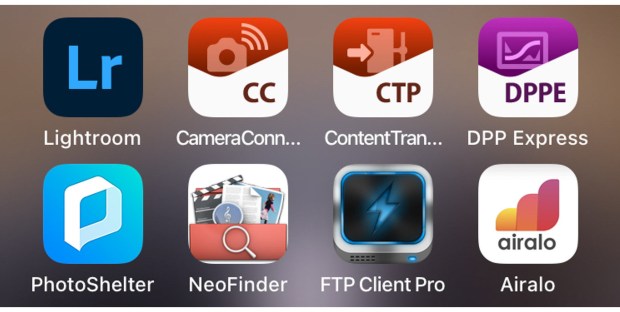
A couple of months ago I posted the latest update about my long-term quest to be able to do quick edits and add full captions to my Canon images using Apple iOS devices. At the time I was using my iPhone because the apps that I wanted to use weren’t compatible with my old 2017 iPad Mini. Then Apple released a significantly updated version of the smaller iPad and I dived in and bought one (256 Gb wifi + Cellular model).

Bingo.

I am delighted to announce that not only do I have a shiny new iPad but that I have pretty much nailed down my iOS workflow whilst using it. I went for the Mini simply because I like the size. It is easily hand-holdable, is significantly bigger than the largest iPhone and it fits in my Think Tank Press Pass 10 bag which has become a very regular part of my day-to-day shooting kit. It’s clearly not as powerful as the larger and more expensive iPad Pro models but it fulfils my requirements rather well – even when working with the larger files from the EOS R5 MkII.

(more…)

Another look at editing on iOS mobile devices

Back in February 2018 I concluded that I had failed to develop a decent workflow for the iPad or iPhone and that if I had the time I’d come back and continue with the quest. Since then I’ve occasionally used versions of my previous workflow and have dabbled with new options as they have come to my attention. Some six and a half years later I bring good news if you shoot with Canon and don’t mind paying for useful applications on subscription.

With the help of Canon and Adobe I think that I have now got a usable and developing workflow for importing, editing, captioning and transmitting images from my iPhone. All of this is currently only possible on my phone because my iPad is a bit out of date and cannot load one of the key applications. Apple announced a new version of the iPad Mini this week which prompted me to post this update.

Let’s talk about what has changed to make me so positive about what’s now possible:

(more…)

High ISO fun and games

Some quick tests using different workflows with a low light high-ISO image. ©Neil Turner October 2023

For a very long time I have been an advocate of shooting RAW files and processing them through Adobe Camera RAW. Recently I have been shooting a lot of pictures in dark spaces with poor light and have been regularly using ISOs of 6400 and above. What has shocked me is that my normal workflows have been producing results that I find a bit grainy – even with the superb high-ISO capabilities of the latest Canon R series cameras.

Having edited some of the live jpegs transmitted during events it has become apparent to me that I need to get stuck into some of the latest noise reduction options as well as having a better look at what in-camera processing can do.

(more…)

Live pictures

This photograph of The Most Revd and Rt Hon Justin Welby, Archbishop of Canterbury walking from Lambeth Palace to Westminster Abbey accompanied by another Archbishop and seven Bishops taking part in the Coronation of His Majesty King Charles III was transmitted from the camera as I walked backwards over Lambeth Bridge. ©Neil Turner. 06 May 2023

Before I ask you to imagine a scene, I’d like to point out that (for the avoidance of any doubt) this has never actually happened. There’s a big group of clients and potential clients staging a demo with placards and a megaphone with the chant

“What do we want?”

“Great pictures!”

“When do we want them?”

“As fast as the technology will allow!”

News and sports photographers are all very well versed in supplying pictures really quickly. These days that mostly means transmitting directly from the camera or, as a fall back, moving images via their smartphone or tablet or even sticking cards into a laptop every few minutes during the event to upload from there. I’ve talked a lot about FTP from the camera and have even made a couple of tutorial videos about exactly how to do it with the various Canon cameras that I’ve used. Obviously the concept is exactly the same with Sony and Nikon as well as some of the latest Fujifilm bodies.

(more…)

Computer speed and power in my real world

When Apple announced their new desktop Mac – the Mac Studio – I watched the keynote address and was very interested in what this new bit of kit had to offer. Starting at £2000.00 including VAT it looks like a veritable speed machine. I have read some reviews and looked at test bench scores which are supposed to give us real world performance data so that we can compare one machine against another. With all of that in mind, it looks really good. But… what do those score mean for me?

In the editor part of my working life I often end up editing 200, 300, 400 or more RAW files from different cameras a day. When I am shooting my own pictures it is rarely that many and, of course, the files will all be from my own cameras and therefore not varied set of RAW formats. The most power hungry work will all be inside Adobe Camera RAW (ACR) and I want to know what time savings this new Mac will actually give me. Having watched several reviewers (mostly high-end video editors) talk about what has frustrated them in their workflow I started thinking about the relatively few times I find myself waiting for things to happen in ACR.

The truth is that there aren’t many things that take time and frustrate me with my ageing 15″ MacBook Pro but here are a few:

(more…)