neil turner

Elinchrom Quadra ELB

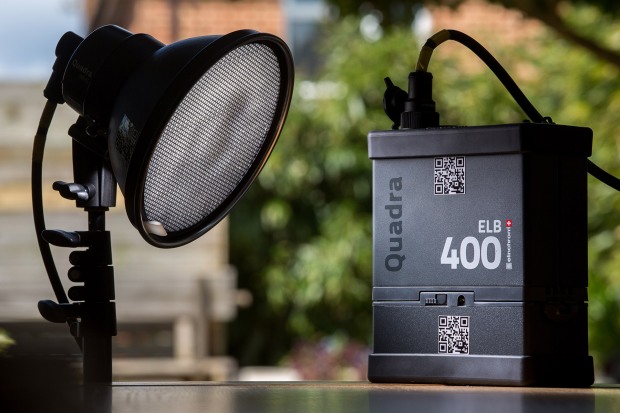
27 April 2016. Bournemouth, Dorset. Elinchrom Quadra ELB. Hillcrest Road Neil Turner

When I get a new piece of kit worthy of mention, I usually write a first hand account of how it is working out and go into details based on using it on a few jobs. I bought an Elinchrom Quadra ELB HS kit a couple of weeks ago and I thought that it was about time I gave some first impressions on this blog. Sadly, I haven’t used it for anything particularly interesting and I certainly haven’t stretched it beyond what I would normally do with my old Quadras (some executive portraits and a quick location shoot) but I can already see a lot of small but amazingly significant changes from the original system.

Those of you who read this blog regularly will know that I was very impressed with the Quadra when I wrote about it in my “32 Months On” and was further impressed when the Lithium Ion batteries came out. The differences between the ELB and the Quadra for most jobs aren’t huge but everything about the new kit tells me that the designers have listened and that the manufacturers have allowed their engineers to implement some great changes. For me, the positive changes with the pack are:

  • Far better display
  • Vastly improved menu system
  • Ability to recondition flattened lithium batteries
  • Better cable port covers
  • All of my old Quadra bits and cables are compatible with the new pack

I have the new High Synch head too which brings one key improvement which is the ability to synch with my cameras at shutter speeds right up to 1/8000th of a second using the EL Skyport Plus HS Transmitter and I’ll talk about these a bit further down the page.

Let’s talk about the menus: (more…)

Pelican case wheels

peli_wheels

There cannot be many photographers out there who don’t own at least one Pelican Case. The super tough plastic boxes (often on wheels) that a lot of our gear travels in are superbly designed, brilliantly made and as tough as old boots. I have three of them and another photographer swapped the standard hard wheels on my 1510 case for some softer rubber ones a couple of years ago and the absence of grating hard wheeled noises was a revelation. I find myself using my 1560 case a lot more these days and so it was time that got the ‘old soft wheel shuffle’ too.

I am not someone who indulges in much DIY but it became obvious when I read this ‘how to’ blog post by David Fearn that even I could do it. (more…)

Thinking on your feet

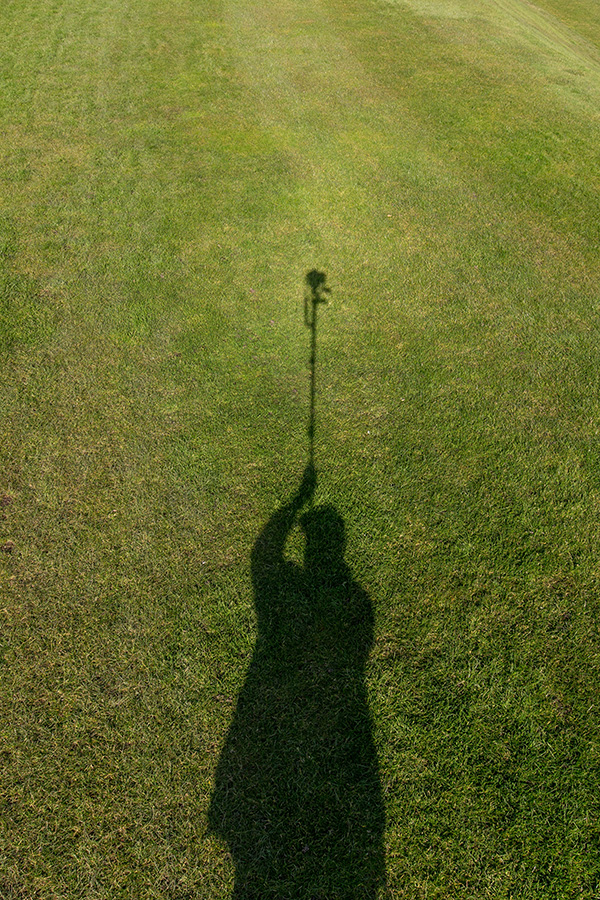
My shadow using a monopod to get a high angle picture. March 2016 ©Neil Turner

My shadow using a monopod to get a high angle picture. March 2016 ©Neil Turner

I was out shooting a job yesterday and needed to get quite a bit of extra height. The best place to shoot the picture from was on the side of a grassy hill which was very wet and the client’s health and safety policies meant that it wasn’t going to be easy to use a step ladder – whilst building a tower was outside the budget. In an ideal world a proper pole-cam or even a drone would have been the best option but the light was right and I needed to improvise.

Having used the Canon EOS6D as a remote via their iPhone app once before I was reasonably confident that my idea would work but the app has been replaced/updated and it meant learning the new one on the job. I had a basic monopod, a tripod head and a Manfrotto Super Clamp in the car but no proper way to attach the phone to the monopod to use as a viewfinder and remote release. With a proper pole-cam you rest the base of the pole on the ground and it is pretty stable. You also have a cradle for the phone or even a tablet if you want to go bigger. I had to tuck the foot of the monopod into my belt to get enough height but I had about an hour so I went into full “1970s Blue Peter” improvisation mode.

The cradle that holds my iPhone in my car was pressed into service and that attached very easily to the Manfrotto Super Clamp. Having extended the monopod to its full height I then attached the clamp to the second stage of the monopod (about eye-level when the whole thing was in use I guessed). Then I stuck the tripod head onto the monopod tilting down a little and put the EOS6D with a Canon 16-35 f4L IS lens on it. Whilst all of this was being done I was downloading the latest Canon Camera Connect app from the Apple App Store.

After a few minutes messing with settings I had the system working. I could use the phone as a viewfinder and a remote release for the Canon DSLR and I set about shooting the pictures without leaving the ground myself. After a minute or two I decided that I needed more height to look down on the subject a bit more and so I tilted the tripod head down a little and when I put the camera back into the air the foot of the monopod was resting on my chest. Even with a camera as light as the 6D I couldn’t hold it up for more than a minute at a time but we got the shot and I only got pointed at (and laughed at) by a small handful of passers-by. I wouldn’t want to have to work this way very often but, having just edited and uploaded the pictures, I know that I have a “Blue Peter”** solution that works.

** Blue Peter was required viewing as a child growing up in the 1970s. They always showed you how to make useful things from odds and ends lying around the house.

The story behind a picture #4

Trying to interest tourists in the shell game on the South Bank in London. © Neil Turner, December 2015

Trying to interest tourists in the shell game on the South Bank in London.
© Neil Turner, December 2015

I almost always carry a camera when I’m out and these days I have to go to a lot of meetings with clients and potential clients – most of which are in central London. There’s always something to see and as I was on my way to a meeting just before Christmas I saw a small group of people trying hard to get passing tourists interested in playing ‘the shell game‘ on the South Bank near the Royal National Theatre.

The idea is simple; one of the group pretending to be a tourist plays the game and wins whilst other members of the group stand around playing the joint roles of lookout and interested bystanders. It took them about ten seconds to realise that they were having their photograph taken and whilst some of them hid their faces the others tried to block my view and make me move on. It was a cold and damp day and they weren’t getting any trade so my presence probably angered them but I stood there, shot some pictures before moving on.

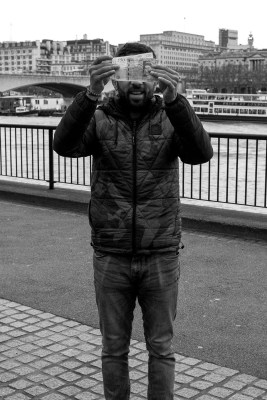
My favourite frame was the attempt that the man actually conducting the game made to hide his face as he approached me to tell me that I wasn’t allowed to take his picture!

Shell game players hides his face with £50 notes on the South Bank in London. © Neil Turner, December 2015

Shell game players hides his face with £50 notes on the South Bank in London.
© Neil Turner, December 2015

Technical stuff: Fujifilm X100S, 1600 ISO 1/125th of a second at f5.6. Converted into black and white in Photoshop CC2015

A Quick Sony RX1 Update…

Dusk at the Stampesletta during the Winter Youth Olympic Games, Lillehammer Norway, 17 February 2016. Photo: Neil Turner for YIS/IOC Handout image supplied by YIS/IOC

Dusk at the Stampesletta during the Winter Youth Olympic Games, Lillehammer Norway, 17 February 2016. Photo: Neil Turner for YIS/IOC Handout image supplied by YIS/IOC

I’m very busy out here in Lillehammer, Norway working with an amazing team of sports photographers covering the Youth Olympic Games. I have been busy editing all day, every day and haven’t had as much time to go out with the Sony RX1 as I’d like. I did, however, shoot a few frames in the dark the other night on the main park. I’ll post more when I get home but I just wanted to say that the RX1 is performing really well despite the temperatures being below freezing.

If you want to see the work that my colleagues Bob Martin, Simon Bruty, Al Tielemans, Arnt Folvik, Thomas Lovelock, Jed Leicester and Jon Buckle are doing please go to the YOGPHOTOS website

Getting to grips with my Sony RX1

Stage door of the Apollo Theatre, London. ©Neil Turner, January 2016

Stage door of the Apollo Theatre, London. ©Neil Turner, January 2016

A week ago I was shocked when the lovely folks at Castle Cameras here in Bournemouth got in touch to let me know that I’d won a new camera in a Sony competition that they were running on their Flickr site. I had completely forgotten that I had entered and when they told me to come and collect my shiny new Sony Cybershot RX1 I popped up later that afternoon. I spent most of the rest of that day playing with the camera and (shock horror) reading the instruction manual. I checked out what “the internet” had to say about the camera and stuck it in my bag determined to give it a proper outing at the first opportunity. You can see the winning picture here.

The weather hasn’t been great and I have been a bit busy with the day job and so it took a full six days before I got a proper chance to take some pictures. I happened to be in London with about three hours to kill yesterday and even though the weather was poor I was determined to have a wander and see whether I could get to grips with the RX1. I don’t really write full-on product reviews because there are other people that do it so much better than I can and this particular model Sony has been around for quite a while. It is, however, a very close contemporary of my beloved Fujifilm X100S and I was keen to find out whether the Sony could do two things: (more…)

Don’t panic…

I use Apple products. In fact, I use a lot of Apple products and some of my less generous colleagues might even label me a “fanboy”. I’d call that unfair because I’m not blind to their faults and I know that, like all technology, it will fail at some point.

I have tried my best to develop ways of avoiding failures, making sure that they cause as little damage or disruption as possible and generally covering my back wherever and whenever possible. The other day, whilst doing routine updates to one of the Macs in my office, I experienced something that would probably have completely freaked most computer users out and necessitated a lot of aggravation or even a visit to a service centre or Genius Bar.

dock_error

Simply put, all of the applications went AWOL. The dock, of which you can see a screenshot above just showed a whole row of question marks indicating that the applications were missing and a quick visit to the applications folder showed that the Mac clearly thought so too. The error message said that I didn’t have permissions to use the folder which made me believe and/or hope that nothing was actually missing. The “missing” applications included Time Machine and all of the repair and diagnostic tools that I would normally go straight to. I looked in the bin and I tried to search for items that I know should have in my applications folder but found nothing.

This has never happened to me before and I have never heard it described so I tried solution number one – to use a different device, get onto the internet and search the collected knowledge of the world’s computer users. The general consensus appeared to be that I had a major issue and that I needed to reinstall the Mac operating system. Easier said than done given that, despite trying every kind of reboot and diagnostic test I could, the App Store, all web browsers and Time Machine were amongst the locked/blocked/missing applications.

I could have done it all from one of the other Macs but I have, for many years, had a back-up drive from which I can boot my computers. These days it is a USB3 SSD drive with OSX Yosemite loaded on it and I used that to reboot my computer and install a fresh copy of OSX. Twenty-five minutes later with a mildly raised heart rate and some cramp in my fingers from keeping them crossed my computer was back as if nothing had happened. No screwdrivers were involved and nobody had to drive anywhere. No data was lost and I could get on with work.

Just in case you are wondering, panicking wasn’t even in the top ten ways to sort this out – about five places below a stiff drink or three!

A case that proves the old military phrase that I was taught at school in the 1970s and 1980s – “precise and proper planning prevents poor performance”.

My iPhone & not taking pictures with it

iphone_grabThere’s no getting away from two facts:

1. I am a fan of almost everything Apple for the work that I do and the way that I do it.

2. I rely on my two and a bit year old iPhone 5S for quite a lot of things when I’m out on assignments.

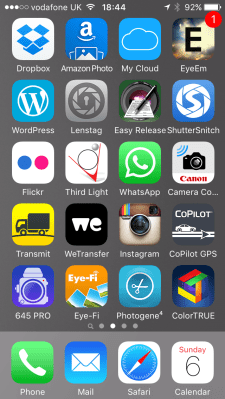
The speed of the 4G network and the brilliant array of apps available for all smartphones has changed the way that I do some of my jobs quite a lot in the last few years. Recently I wrote about getting pictures away quickly  and I have also written about the workflow that I use with some of the phone apps and you can see from a current grab of one of the app pages on my phone I have quite a few ways to do similar things.

I’d like to talk in this blog about some of many of the ‘un-sung heroes’ of my mobile life – at least one of which is a very new and a very, very welcome addition to the set up.

The backbone of my mobile image acquisition and transmission system is formed of the Eye-Fi and Photogene apps which have been covered at length before but you can also see plenty of other work related apps on this single screen. (more…)