photographer

Customising your Photo Mechanic IPTC interface

This could very well be the single most “niche” blog post that I have ever written but I found it incredibly useful and so I thought others might too. If you aren’t a Photo Mechanic user already, bear with me because it might just convince you to have (another) look at what, for me, is an indispensable piece of software.

When you open up either a Stationery Pad (best for bulk captioning) or click on the IPTC Info tab (best for editing a single caption) the default views show dozens of fields. Most of those fields will have little or no use for basic image captioning and some of them will have very specific uses for very specific clients. Recently I’ve been doing a lot of image editing and I have found that different clients have very different needs and because of that I want the IPTC interface to look different for each client. The great news is that in Photo Mechanic you can customise the interfaces to a very high degree. You can choose to:

  • Hide or remove fields
  • Change the order in which they appear
  • Group them in any way you wish
  • Change the labels on the fields
  • Change the size of the boxes of some fields

Once you have set up your custom ‘look’ you can then save that look and swap between any number of looks depending on the work that you are doing. You can, at any time, swap back to the Photo Mechanic default and create new versions of the interface. (more…)

Working with Foliobook

The landscape version of the opening page of my Foliobook iPad portfolio.

My previous post about developing a workflow for acquiring, editing and transmitting images using my iPad is still a “work in progress” and that work has been going on alongside another tablet related project. This time it is to get a decent and easily adapted portfolio onto that iPad so that when I need to show pictures I have a pretty good folio with me. I’m sufficiently “old school” to love the look and feel of a printed portfolio and in the past I have used the Foliobook app on an iPad as a back up to the printed work – a way of having a wider selection of pictures just in case the potential client wanted to see more.

I would be the first to admit that I never really used Foliobook to its full potential. A few galleries of randomly sized pictures with graphics ‘straight out of the box’ was about as good as it got. No longer. That £9.99 that I spent all that time ago has now been well and truly exploited! (more…)

Work in progress – an iPad workflow

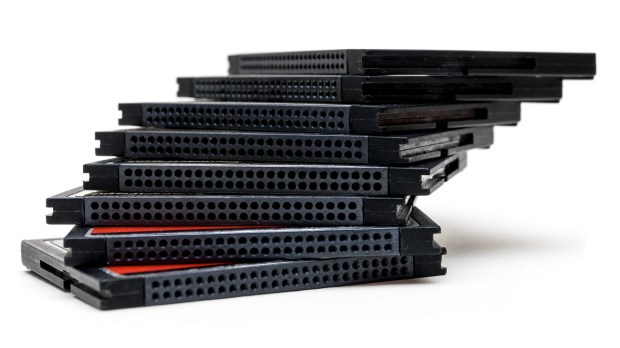
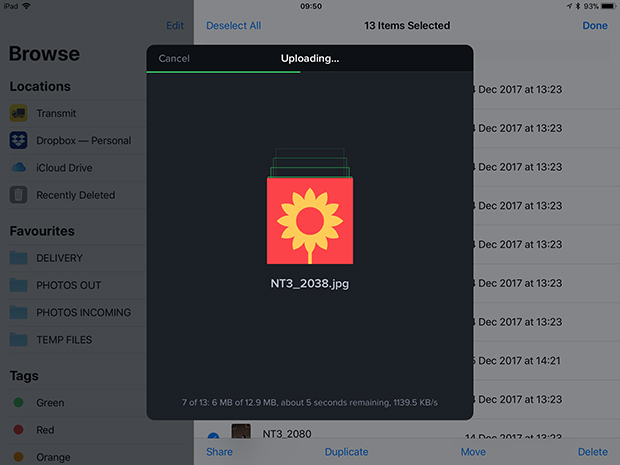
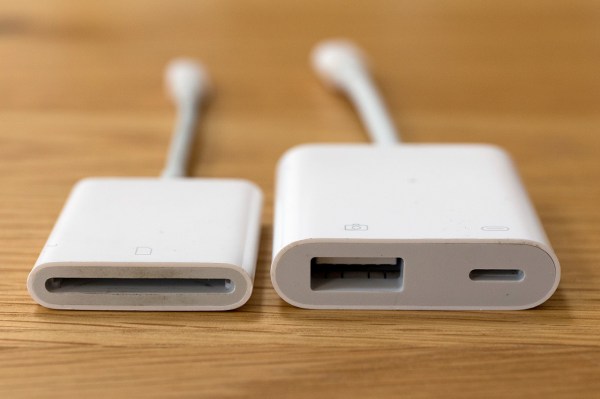
Whilst I’m not able to be out shooting I have decided to take a serious look at the workflow options using an iPad or even an iPhone and to see whether they really can replace a lightweight laptop in my working life. I have even bought a new iPad Mini 4 (already upgraded to iOS11) because I’m sure that I will be using the tablet for some form of mobile editing. Should you be seeking wisdom and a fully-formed solution I’m prepared to stick a plot-spoiler in here and tell you that it is still very much a ‘work in progress’ and that I don’t have an answer for you. Yet.

My starting point for this is having used my phone as an occasional method of getting pictures away quickly – mostly for clients to be able to use my pictures in their social media and on their websites instead of their own pictures taken with their phones and tablets. If you are prepared to work with JPEG files then this isn’t too tricky, but what if you want to base everything on a RAW workflow? Not so simple?

I know that a lot of photographers have worked out their own workflows for using iPads as their principal location editing devices. I have been trawling blogs and YouTube videos trying to get my head around how and why they have decided to go down this route and the fact that several photographers that I respect and even admire have gone this way means that it has to be a serious option for professional editorial and corporate photography. A lot of the same people, driven by a desire to reduce the weight of their kit, have also gone to mirrorless camera systems.

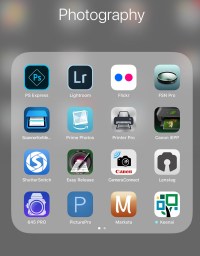
As part of my search I’ve used a LOT of different apps. Amongst others, and in no particular order: Lightroom, FSN Pro, Shuttersnitch, Marksta, PS Express, PicturePro, Transmit, Affinity and the sadly no-longer-supported Photogene4. These range from Lightroom being free with the right Adobe CC subscription to a chunky £49.99 for PicturePro.

So here is what I do know: (more…)

A freelancer’s nightmare

It all started with a twinge in the small of my back. The twinge became an ache and the ache became pain. A visit to the Doctor led to some prescription pain killers and a referral to a back-pain clinic two months into the future. Still working at full speed, I lost the feeling in the soles of my feet and had a few cramps. Every day it got a little worse and then, one Sunday morning, I couldn’t get out of bed without crying with the pain. We made our way to the accident & emergency department of the local hospital where an MRI scan confirmed that I was in trouble. They admitted me to hospital and just over a week later I had two operations on my spine.

The operations were three weeks ago today and, although I’m back home, I’m looking at several months before I can even start to think about working as a photographer. I’m on crutches, my rehabilitation is underway and it’s a struggle.

It has to be one of the worst fears of the freelancer – suffering some sort of injury or illness that keeps you from doing your work which in turn means a loss of income and knowing that your clients will have to look elsewhere for someone to provide the services that you have been providing.

All of this devastating news made me want to compose this rather different blog post and my advice comes in two parts:

  • What to do to avoid and prepare for a sudden, unplanned period of time off
  • What to do if it happens to you

The message has to be that it can happen to you. One minute you are buzzing around going from job to job and regularly burning the midnight oil to get those edits done, your cashflow is looking good and your clients keep coming back and the next you are laid up with an injury. (more…)

Setting up FTP from a Canon EOS 5D MkIV

A couple of weeks ago I spent a couple of days helping to teach other photographers to send pictures direct from their Canon EOS 5D MkIVs. Over the last couple of years I have taught dozens of people how to do this and set up a huge number of cameras; mostly Canons ranging from the 5D MkII, MkIII and MkIV to the various EOS1D series models as well as various Nikon D4, D4S and D5 models. It’s not rocket science but it is something that takes a lot of practice before it becomes part of your toolkit.

I use this technology all of the time myself and it was suggested to me that I might like to try my hand at making an instructional video. I have a face for radio and so my two thumbs are making a welcome return to the media (last seen holding a power tool in the 1985 Argos catalogue). You might like to check out this old blog post about why I need to get pictures away quickly too.

Here’s a link to the 1080p version on Vimeo
There’s also a 720p option on YouTube.

I’m always happy to answer questions and even happier to get feedback. This is my first real attempt at a “how to” video so be gentle with me!

For those who are interested it was all filmed using a Canon EOS7D MkII and a Canon 24-70 f4L IS lens before being edited in Apple iMovie with some help from Apple Keynote.

Shooting fish in a barrel

London. January 2011. © Neil Turner

In 2008 when I had just left my staff job at TSL I was asked by a reporter working for a photographic magazine about what I intended to do with my career. I pointed out that I had an enormous amount of experience working in schools and universities and that in my time working for the Times Educational Supplement, Times Higher Education Supplement and Nursery World Magazine I had shot pictures in over 3,000 places of learning in at least 13 countries and that it seemed like a “no-brainer” to market myself as a photographer specialising in those areas. Plenty of prospectuses and websites as well as editorial shoots later my tally of educational visits and shoots tops 3,500 and I’m still in love with the genre. The reporter asked what special skills I had that made me good at that part of the job and my response was that if you can’t get great pictures of kids then you really shouldn’t be a photographer because it was “shooting fish in a barrel“. (more…)

AA batteries

Eneloop AA 1.2v batteries and Think Tank 8 AA battery holder.

Back in September 2008 when I returned to the world of freelancing I tried every way that I could think of to cut my ‘cost of doing business’. One of the central ideas was to reduce the number of disposable batteries that I bought and used. I had a number of speed lights and a whole bag full of triggers, transmitters and gadgets almost all of which took AA sized batteries and so I went out and bought a lot of NiCd (nickel cadmium) rechargeables along with three decent quality chargers.

Every-once-in-a-while I would buy a few single use batteries if I was on a job which justified doing so but I kept to my plan and used the NiCd ones where I could. Over time they lost their power and after about four years they were relegated to being used in kids toys and my wireless keyboard. I bought some new NiCds but the way that I used them meant that the dreaded memory effect killed them off more quickly than I would have liked. (more…)

Best light of the year

©Neil Turner. Fistral Beach, Newquay, Cornwall.

It is almost inevitable that when the best light of the year so far offers up a number of creative possibilities the only camera you have with you will be the one built into your phone. I don’t mind admitting that this has always filled me with dread and I have often missed the picture that I know I should have taken because the phone couldn’t do what a ‘proper camera’ can.

We were away in Cornwall last week for a few days and had just arrived at our hotel after the drive from East Dorset when we decided that a stroll along the beach before dinner was in order. We had been to Fistral Beach many times before but never really experienced the magic of the sunset there and when the light started to dip it was obvious that we were going to be treated to something rather lovely. These days I have an iPhone 7 which has a pretty good camera. I normally use it for snaps, record shots and general visual note-taking but when I needed it to produce the results using it with the 645Pro app allowed me to get exactly what I would have wanted if I’d had my Fujifilm X100S with me.

I was so pleased with the picture that I approached the man who features in it and sent him a copy whilst still on the beach. Photography is still a joy.