iPhone

iPad workflow part three

Welcome to the third instalment of my investigation of the best iPad workflow for the kind of work that I do. At the end of part two I came to the conclusion that adding images wirelessly to the iPad (or an iPhone) was the best way to go for me and in the few days since I made that observation I have largely moved towards using FSN Pro to get the pictures to where I need them to be.

I mentioned several times in part two that I wanted, wherever possible, to avoid storing anything in the Apple Photos app without explaining why I am so keen to avoid it. The simple answer is that my normal workflow for several clients involves keeping the original camera filenames intact so that it is possible to follow up at a later date and find them again without having to spend any time looking. Why Apple are so keen to rename every file with the clumsy “img_1234” formula is beyond me. I guess that it must make what goes on inside iOS easier for Apple – if not for photographers. By avoiding the app it is entirely possible to retain the original filename from start to finish. Don’t get me wrong; if I was rushing and getting a couple of quick edits away to a client then I’d happily rename files and/or settle for the img_xxxx option but when there are five, six or more photographs going through then renaming becomes a pain. (more…)

iPad workflow part two

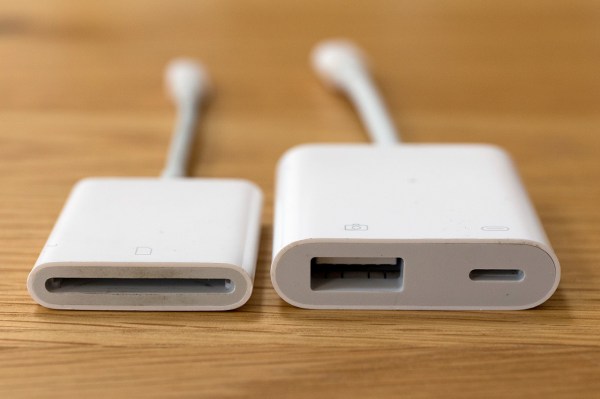
Apple’s Lightning to SD Card and USB3 to Camera adapters

A few weeks ago I promised to keep working on my iPad workflow and keep readers of this blog up-to-date with my thoughts. Lot of other things have got in the way lately but here is the second instalment. I’ve decided to break the whole process down into four parts:

  • Getting the images onto the iPad
  • Toning and captioning them
  • Getting the pictures to where they are needed
  • My conclusions and (hopefully) a settled workflow

The accessories that I’ve used to import images from memory cards onto an iPad for photo editing.Because I’m vaguely logical, I’m going to tackle them in order and so I’m going to outline the ways that I have looked at getting my pictures onto the iPad. Because this is an examination of the possibilities I’m going to consider all of my options and because I’m a Canon user I will tend to lean towards the options for EOS cameras although much of what I’m talking about is not make specific. I have experimented with several ways to get the pictures onto the iPad and I’ve tried all of them as JPEGs and RAW files too: (more…)

Using the Canon W-E1 wifi adapter

When Canon announced the W-E1 wifi adapter for the EOS7D MkII and the EOS5S and 5SR I was decidedly underwhelmed for two reasons;

  • The first was that it was not backwards compatible with the two EOS5D MkIII bodies that I had at the time.
  • The second was that it took away the ability to record to two cards when it was in use.

At the time I couldn’t see any advantage over any of the SD based transmitters from Eye-Fi or Toshiba amongst others. I didn’t buy one and I couldn’t see myself buying one either.

Fast forward ten months and my need to use remote cameras controlled by an iOS devices has grown and I only had one – the wonderfully simple Canon EOS6D. I didn’t want to use either of the EOS5D MkIV bodies as a remote and so I bought the W-E1 adapter to use in my EOS7D MkII. (more…)

Best light of the year

©Neil Turner. Fistral Beach, Newquay, Cornwall.

It is almost inevitable that when the best light of the year so far offers up a number of creative possibilities the only camera you have with you will be the one built into your phone. I don’t mind admitting that this has always filled me with dread and I have often missed the picture that I know I should have taken because the phone couldn’t do what a ‘proper camera’ can.

We were away in Cornwall last week for a few days and had just arrived at our hotel after the drive from East Dorset when we decided that a stroll along the beach before dinner was in order. We had been to Fistral Beach many times before but never really experienced the magic of the sunset there and when the light started to dip it was obvious that we were going to be treated to something rather lovely. These days I have an iPhone 7 which has a pretty good camera. I normally use it for snaps, record shots and general visual note-taking but when I needed it to produce the results using it with the 645Pro app allowed me to get exactly what I would have wanted if I’d had my Fujifilm X100S with me.

I was so pleased with the picture that I approached the man who features in it and sent him a copy whilst still on the beach. Photography is still a joy.

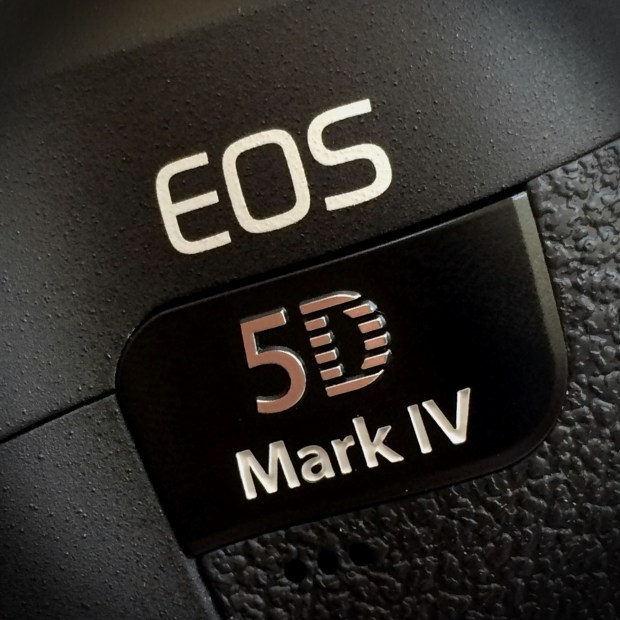
First impressions of the EOS5D Mark IV wifi

5d4_close_up

The Canon EOS5D Mark IV – the first professional DSLR from Canon with a fully functioning wifi capacity built-in.

When Canon announced that they had added a wifi capability to the new EOS5D Mark IV I was simultaneously surprised, delighted and apprehensive – emotions which have in turn given way to a sense of relief. Wifi was a feature that many photographers had asked manufacturers to implement over a number of years and we had always been told that there were technical reasons why it couldn’t be done and that most buyers simply didn’t want it. The rise in popularity of limited wifi in consumer and ‘prosumer’ models told a different story and Canon did the right thing by including it in this latest release.

The surprise element came because very few of the rumours that preceded the announcement of the Mark IV mentioned wifi at all. A lot of those people awaiting the new camera had resigned themselves to another generation of cameras with bolt-on accessories to handle rapid image transmission. (more…)

Thinking on your feet

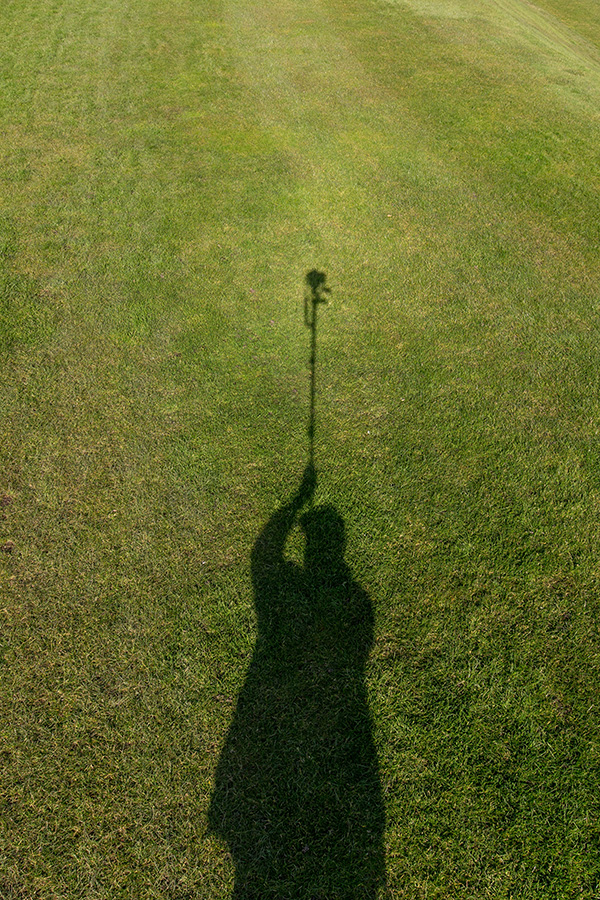
My shadow using a monopod to get a high angle picture. March 2016 ©Neil Turner

My shadow using a monopod to get a high angle picture. March 2016 ©Neil Turner

I was out shooting a job yesterday and needed to get quite a bit of extra height. The best place to shoot the picture from was on the side of a grassy hill which was very wet and the client’s health and safety policies meant that it wasn’t going to be easy to use a step ladder – whilst building a tower was outside the budget. In an ideal world a proper pole-cam or even a drone would have been the best option but the light was right and I needed to improvise.

Having used the Canon EOS6D as a remote via their iPhone app once before I was reasonably confident that my idea would work but the app has been replaced/updated and it meant learning the new one on the job. I had a basic monopod, a tripod head and a Manfrotto Super Clamp in the car but no proper way to attach the phone to the monopod to use as a viewfinder and remote release. With a proper pole-cam you rest the base of the pole on the ground and it is pretty stable. You also have a cradle for the phone or even a tablet if you want to go bigger. I had to tuck the foot of the monopod into my belt to get enough height but I had about an hour so I went into full “1970s Blue Peter” improvisation mode.

The cradle that holds my iPhone in my car was pressed into service and that attached very easily to the Manfrotto Super Clamp. Having extended the monopod to its full height I then attached the clamp to the second stage of the monopod (about eye-level when the whole thing was in use I guessed). Then I stuck the tripod head onto the monopod tilting down a little and put the EOS6D with a Canon 16-35 f4L IS lens on it. Whilst all of this was being done I was downloading the latest Canon Camera Connect app from the Apple App Store.

After a few minutes messing with settings I had the system working. I could use the phone as a viewfinder and a remote release for the Canon DSLR and I set about shooting the pictures without leaving the ground myself. After a minute or two I decided that I needed more height to look down on the subject a bit more and so I tilted the tripod head down a little and when I put the camera back into the air the foot of the monopod was resting on my chest. Even with a camera as light as the 6D I couldn’t hold it up for more than a minute at a time but we got the shot and I only got pointed at (and laughed at) by a small handful of passers-by. I wouldn’t want to have to work this way very often but, having just edited and uploaded the pictures, I know that I have a “Blue Peter”** solution that works.

** Blue Peter was required viewing as a child growing up in the 1970s. They always showed you how to make useful things from odds and ends lying around the house.

My iPhone & not taking pictures with it

iphone_grabThere’s no getting away from two facts:

1. I am a fan of almost everything Apple for the work that I do and the way that I do it.

2. I rely on my two and a bit year old iPhone 5S for quite a lot of things when I’m out on assignments.

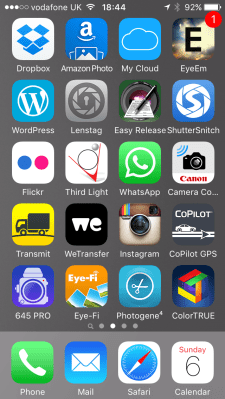
The speed of the 4G network and the brilliant array of apps available for all smartphones has changed the way that I do some of my jobs quite a lot in the last few years. Recently I wrote about getting pictures away quickly  and I have also written about the workflow that I use with some of the phone apps and you can see from a current grab of one of the app pages on my phone I have quite a few ways to do similar things.

I’d like to talk in this blog about some of many of the ‘un-sung heroes’ of my mobile life – at least one of which is a very new and a very, very welcome addition to the set up.

The backbone of my mobile image acquisition and transmission system is formed of the Eye-Fi and Photogene apps which have been covered at length before but you can also see plenty of other work related apps on this single screen. (more…)

Reliance on the internet

As photographers we have got used to using a range of web-based technologies to deliver our work to our clients. Most of the time it works and nobody notices how amazing these technologies are. Over the years we have come to expect more and more in terms of bandwidth and speed and we have come to rely on getting good connections to easily accomplish what would have been regarded as time-sensitive alchemy only a few years ago.

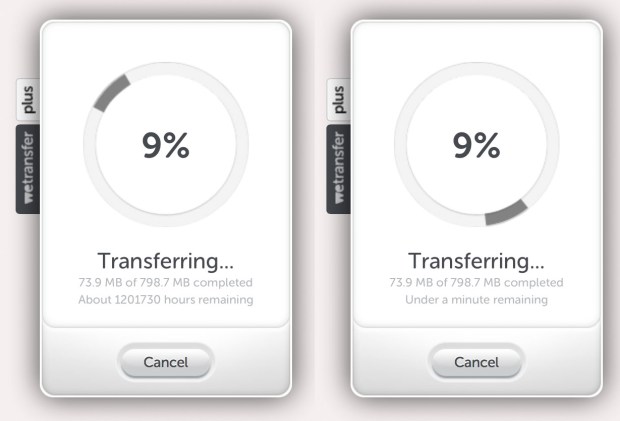
On an overseas job last week the client wanted a lot of high resolution Jpegs delivered to them very quickly and their chosen method was WeTransfer. It’s a very good and reliable system in itself but it depends on a half decent internet connection. Sadly we didn’t get that connection and out of sheer frustration I did these screen grabs:

wetransfer

Yes that’s right: one million, two hundred and one thousand, seven hundred and thirty hours to complete a transfer that should have taken about half an hour on a half decent network. In case you are interested that is fifty thousand and seventy-two days or one hundred and thirty-seven years and sixty-five days. A bit slow. The second screen grab says less than a minute but that was also wildly inaccurate as no further data moved.

In the end I had to abandon the ethernet and wifi networks that the client had arranged for us to use and head outside where I could pick up a great 4G mobile signal by tethering to my iPhone and use my roaming package to send the pictures – which took about 44 minutes (by then I had 1.2Gb of pictures). The point here is that now we have come to reply on the internet for almost all of our image delivery it has become crucial that we have multiple ways of connecting to the internet.