workflow

My iPhone & not taking pictures with it

iphone_grabThere’s no getting away from two facts:
1. I am a fan of almost everything Apple for the work that I do and the way that I do it.

2. I rely on my two and a bit year old iPhone 5S for quite a lot of things when I’m out on assignments.

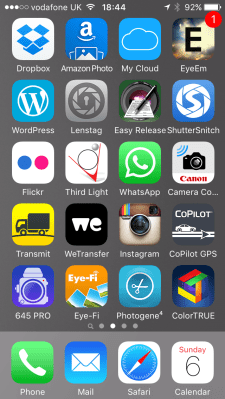
The speed of the 4G network and the brilliant array of apps available for all smartphones has changed the way that I do some of my jobs quite a lot in the last few years. Recently I wrote about getting pictures away quickly  and I have also written about the workflow that I use with some of the phone apps and you can see from a current grab of one of the app pages on my phone I have quite a few ways to do similar things.

I’d like to talk in this blog about some of many of the ‘un-sung heroes’ of my mobile life – at least one of which is a very new and a very, very welcome addition to the set up.

The backbone of my mobile image acquisition and transmission system is formed of the Eye-Fi and Photogene apps which have been covered at length before but you can also see plenty of other work related apps on this single screen. (more…)

Do you do corporate head shots?

headshots_header

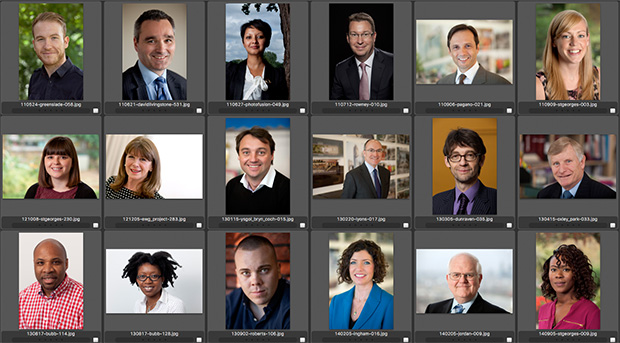
I had a phone call call this morning from a potential client who had found me via a web search. That doesn’t happen very often and when it does the calls are normally from people trying to sell me something rather than commission me to do some work for them. The very pleasant lady who had called asked me if I did ‘corporate head shots’ and when I replied that I do and that I have done lots of them over the years she asked why there were none on my website. Wow… she’s correct. There are no easy to find samples of one of the most basic and important parts of my professional work on any of my folio sites.

During the call I promised to stick fifty varied images into a gallery and send her the link. I also explained that head shots weren’t the sole preserve of the corporate world and that some other sectors used them well and that the gallery that I’d prepare would have teachers and actors and other professionals too. (more…)

Post production is all about the details

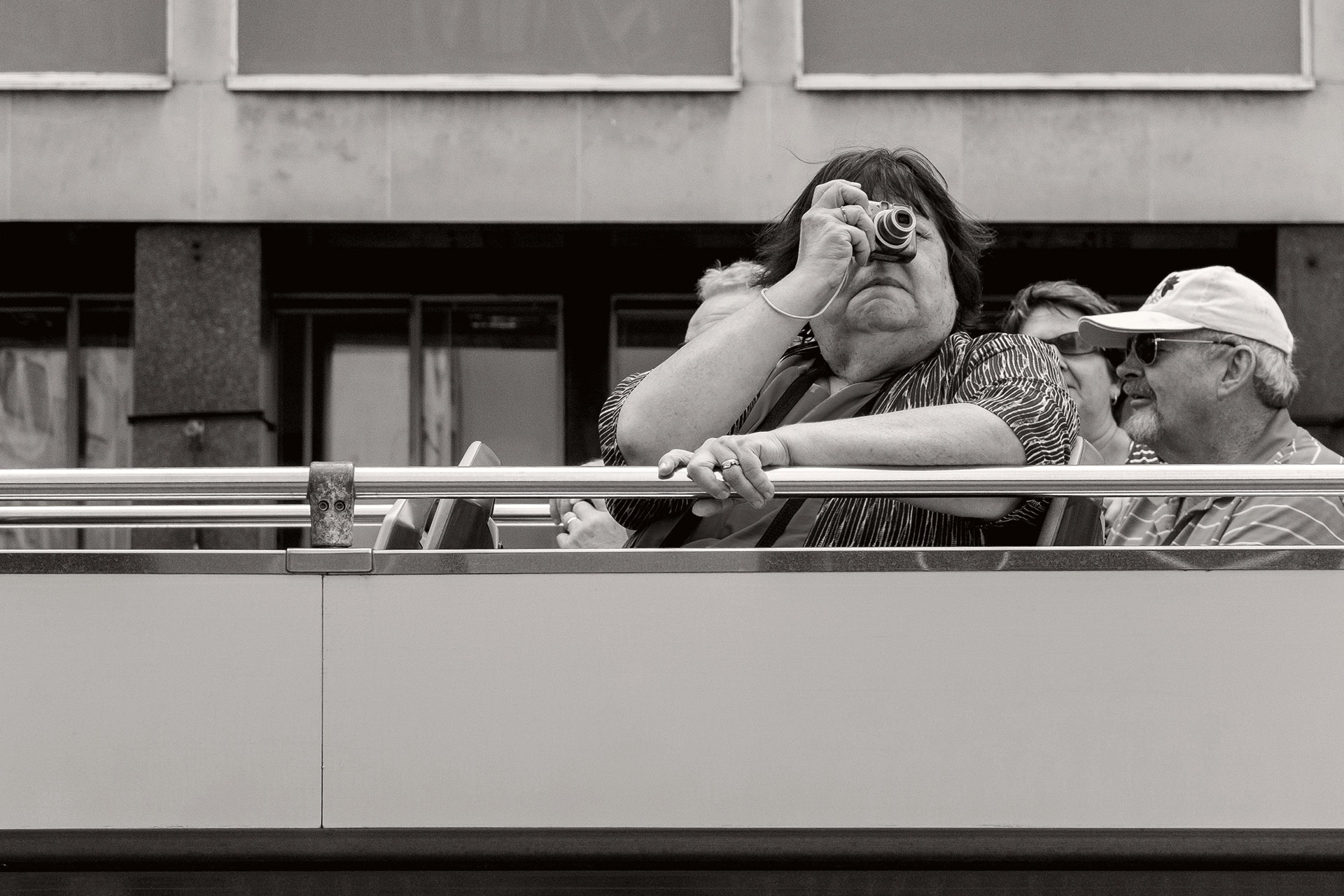
Passenger on the top deck of a tourist bus passing through Waterloo. © Neil Turner

Passenger on the top deck of a tourist bus passing through Waterloo.
© Neil Turner

I’ve read a lot about the ‘instagramisation’ of photography. I think that means taking slightly dull images, applying filters and presets to them and presenting them as bits of creativity. At the right time and in the right place those kinds of pictures have value and can make significant additions to creative campaigns and can go a long way towards making some elements of social media and social marketing more visually interesting. I’m not talking about that here – this blog post is all about choosing between making decisions about individual pictures or letting technology take over and ‘improve’ your work for you.

If you are on Facebook or any other social media that has targeted advertising you will probably get as many ‘suggestions’ as I do for people selling magical presets or add-ons to make my pictures instantly better. That’s great – or at least it would be if I wanted all of my images to exhibit a sameness with each other and with those of so many others. Trying to reduce professional post-production down to a series of mouse-clicks using algorithms and actions developed for others isn’t, in my opinion, a very good idea. (more…)

Back on Flickr

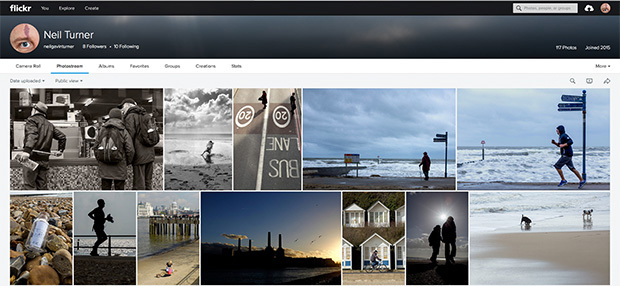
Screen grab of my new Flickr account

An important client recently asked me to do some preparation work ahead of a project with which I am involved. One part of that preparation was to find out all I could about sharing some of their content on Flickr. I decided that the best way to learn about it was to do it and so I established a brand new personal Flickr account and started to post some of my personal work.

Now, when I get five minutes to spare, I’m uploading new pictures, joining groups and generally playing around with the various options that the site has to offer and I’m getting close to the point where I can go back to the client and tell them what I know and get ready to set up their account ahead of the project.

Those of you that are using Flickr; what do you think? Have you got any hints or tips for me? I have the iPhone and iPad already set up to upload images and I have a new IPTC template for photographs so that the correct information gets placed into the right fields for the Flickr system. Please come and have a look at my pictures on the site, exchange “follows” with me and let me know what I need to do next.

You can find me at neilgavinturner .

Getting pictures away quickly

Getting photographs to the client has always been one of the less glamorous aspects of being a professional photographer. From sticking a pile of prints into an envelope and handing them to a courier to scanning negatives before using clunky slow modems to deliver them right up until today’s relatively painless methods nobody in their right mind would list this part of the process as either satisfying or easy.

The arrival of social media and the realisation amongst better clients that using our work rather than their own smartphone snaps has meant that we have had to speed things up a lot. I’ve always liked Eye-Fi cards but more recently I have been working with clients and with projects where something even more reliable and configurable is required. The worst part of it is that there isn’t actually one simple solution or workflow that will satisfy all of them in all circumstances. For a lot of jobs transferring the pictures from the camera to a smartphone or tablet before captioning and shifting them to the client is quick enough and I’ve written about that workflow before. New software appears all of the time and I am always looking at ways to make things smarter and quicker by introducing some automation and cutting steps out.

Live Ingest window from Photo Mechanic 5.

Live Ingest window from Photo Mechanic 5.

(more…)

Testing a Think Tank laptop shade

The Think Tank Pixel Sunscreen V2. Hillcrest Road

© Neil Turner, August 2015. The Think Tank Pixel Sunscreen V2 folded up.

I seem to be spending more and more time editing photographs in strange places. Last weekend it was in a tent on The Mall – right by Buckingham Palace. The weather forecast predicted  bright sunshine so I decided that I needed to replace my very old plastic laptop sun shade with something a bit more ‘state-of-the-art’. Looking around it quickly became clear that the Think Tank Pixel Sunscreen V2 was the most likely to fulfil my needs so I went down to Fixation to buy one. Before I parted with my money I made sure that I could fold the thing away and the handy instructions printed on it made it very easy to do. Basically, if you can fold a Lastolite or a small tent, this is a doddle. (more…)

Taste in monochrome

Ever since I shot my first roll of black and white film back when I was teenager I have been striving to master the art/science/alchemy of good monochrome. Many of my early photographic heroes were all brilliant in black and white and my own struggle with getting close to being good at it is a subject that I have blogged about before. Over the last two years I have become much better at it and I thought that I’d show a series of images here that demonstrate how I go from an original colour picture to a toned monochrome. I sometimes use Tonality for my conversions but this one was done in Photoshop CC. (more…)

Reliance on the internet

As photographers we have got used to using a range of web-based technologies to deliver our work to our clients. Most of the time it works and nobody notices how amazing these technologies are. Over the years we have come to expect more and more in terms of bandwidth and speed and we have come to rely on getting good connections to easily accomplish what would have been regarded as time-sensitive alchemy only a few years ago.

On an overseas job last week the client wanted a lot of high resolution Jpegs delivered to them very quickly and their chosen method was WeTransfer. It’s a very good and reliable system in itself but it depends on a half decent internet connection. Sadly we didn’t get that connection and out of sheer frustration I did these screen grabs:

wetransfer

Yes that’s right: one million, two hundred and one thousand, seven hundred and thirty hours to complete a transfer that should have taken about half an hour on a half decent network. In case you are interested that is fifty thousand and seventy-two days or one hundred and thirty-seven years and sixty-five days. A bit slow. The second screen grab says less than a minute but that was also wildly inaccurate as no further data moved.

In the end I had to abandon the ethernet and wifi networks that the client had arranged for us to use and head outside where I could pick up a great 4G mobile signal by tethering to my iPhone and use my roaming package to send the pictures – which took about 44 minutes (by then I had 1.2Gb of pictures). The point here is that now we have come to reply on the internet for almost all of our image delivery it has become crucial that we have multiple ways of connecting to the internet.