equipment

You learn something new every day

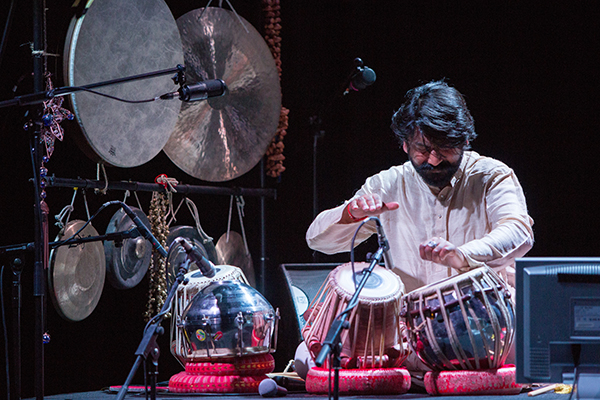
It is one of the universal truths of photography that you never stop learning. Almost every time you pick a camera up something happens that you squirrel away in your memory banks that will make a difference to how you shoot something else at some time in the future. Normally these are small things but this week I was shooting the wonderful Talvin Singh performing at an arts festival and something happened that made me scratch my head because I’d never experienced anything quite like it.

©Neil Turner, October 2104

©Neil Turner, October 2014

The two pictures above were taken within a fraction of a second of one another under ‘exactly’ the same lighting without flash and with identical settings (manual everything apart from focus) on the same camera with the same lens and have been processed through Adobe Camera RAW identically. So why are they different? The answer seems to be LED stage lighting. You might conclude that both pictures are ‘quite nice’ and move on but that’s not really an answer when you are shooting something that has a moment that you absolutely have to capture. I’ve had issues with un-balasted HMI lighting and of course strip lights but this was in another ‘issues league’ entirely.

It appears that these brand new lights installed in a state-of-the-art theatre are an absolute nightmare for stills photography. Now that I’ve experienced this, I have been reading up on it and it seems to be a known phenomenon where the lights cycle between the red, green and blue LEDs in the light at a speed that the human eye chooses not to detect but that a camera shooting at shutter speeds of 1/125th of a second or higher has a real problem with. The higher you go, the worse it gets. Of course you could shoot at 1/60th of a second and all would be reasonably well – apart from any movement being a little/lot blurred.

Being a complete anorak I decided to shoot a series of tests at an even higher shutter speed (having first racked the ISO up a way) to see what happened:

©Neil Turner, October 2014

©Neil Turner, October 2014

That makes shooting under these lights at the kind of shutter seeds you need to freeze action nigh on impossible. Once I had realised that there was an issue I dropped down to 1/100th of a second and then to 1/80th and shot lots of frames. The first five frames above were shot at 1/400th and the last one was at 1/100th – what a difference.

Most of what I have read about LED stage lights concerns white balancing – well that was the least of my worries here. It was almost as if shooting with shutter speeds in excess of the cameras maximum flash synch speed (the highest speed at which the entire chip is exposed at the same moment) was part of the problem. The LED stage lights in this theatre were effectively pulsing or flashing and the only way to get a consistent image was to work with that pulsing and use shutter speeds below the maximum flash synch. I have read something on what appeared to be a well-infomed website which implies that this only happens when the lights are dimmed – which makes some sense. I haven’t got enough experience with this to work out whether the speed thing is a coincidence or whether it is directly related but I now know how to shoot in this one venue with these lights.

Shooting with shutter speeds that are a long way below “ideal” some of my pictures were sharp and many weren’t – but the job got done. Constant reference to the screen on the back of the camera is frowned on by a lot of people but this case proves that there are times when it is exactly the right thing to do. Imagine having had to shoot this on film with no LCD…

Presumably more and more theatres and venues will use these lights and the problem will grow. Maybe there’s a solution out there already?
©Neil Turner, October 2014.

©Neil Turner, October 2014.

Techie stuff: Canon EOS5D MkIII with a 70-200 f2.8L IS Canon lens. 1/100th of a second at f3.2 on 2000 ISO. WB set to daylight but adjusted in Adobe Camera RAW removing quite a bit of magenta and adding a small amount of yellow.

Canon’s EOS 6D – pressed into service

With Photokina drawing the crowds in Germany and with both Canon and Nikon announcing important new DSLRs I have (typically) been having a good look at a camera that has been on the market for ages. I bought my EOS 6D for a very specific reason; the ability to use it as a remote and control it from my smart phone. It performed that task rather well and I will definitely be making use of that function again but I also wanted to blog about what it’s like as a daily working camera.

Canon's small, light full frame DSLR. ©Neil Turner, September 2014.

Canon’s small, light full frame DSLR. ©Neil Turner, September 2014.

I was at another major show last week – The Southampton International Boat Show to be precise and I wanted to carry as little gear around with me as I could. Most of the work was going to be shot using EOS 5D MkIII cameras which have become my favourites (although they are far from perfect) for day-to-day jobs but I had a problem with one of them and decided to use the 6D as my second body once it had performed it’s (not able to post the pictures here) remote task. I had quite a bit of confidence in the camera having used a borrowed one when it was first launched and so I stuck a 16-35mm f2.8L lens on it and away I went.

Press day at the Boat Show is a mixture of dull press events, glitzy celebrity appearances and the search for different and interesting pictures that nobody else has. I found myself drawn to the official opening despite there being over a dozen other photographers there. To get something different I managed to get on board the tall ship Phoenix to see if I could shoot a different angle to everyone else. It wasn’t much of a gamble as the value of having the same picture as everyone else was pretty low on this job for me and I managed to get this nice frame of a couple of the invited children at the helm of the moored ship.

The sons of the late Olympian Andrew

The sons of the late Olympian Andrew “Bart” Simpson at the helm of the tall ship PHOENIX alongside Europe’s largest temporary marina. ©Neil Turner, September 2014.

Anyway, back to the EOS 6D. It is a tiny bit smaller than the 5D MkIII and it is a tiny bit lighter. It has fewer buttons and fewer megapixels (20 for the 6D and 22 for the 5D MkIII) and it only has a single SD card slot compared to the CF + SD combination on the 5D MkIII. It doesn’t have the same amazing auto focus and it isn’t as well built as the 5D MkIII either but, and it is a big but, it is really nice to use. It fits in your hands well and the controls are easy to use even with the camera to your eye – ergonomically speaking it ticks a lot of the boxes for me. I haven’t used it with a big lens attached yet and I suspect that with something like a 70-200 f2.8L IS it might feel a little unbalanced without a battery grip but with the 16-35 and with a range of primes including the 135mm f2L it feels great without a grip (I’m not a grip fan). The shutter sound is OK and the ‘quiet’ option is also pretty good.

I have written a lot about processing RAW files from various cameras recently and I found the 6D files to be remarkably similar to the 5D MkIII ones and that is a big plus for me.

As always there are a few things that I’d like to see changed on. Canon have this amazing knack of producing “almost perfect” cameras and the 6D is no different here. In no particular order:

  • I’d like them to add the ability to add custom file names in camera in the same way that you can in the 5D MkIII and the 1DX – surely this could be done as part of a firmware update?
  • All Canon cameras need to have the ability to lock the diopter adjustment on the eyepiece. Having to put bits of gaffer tape on every camera is getting boring.
  • I know that the camera already has built-in wifi but better Eye-Fi integration and the option to assign a button (the Q button?) to “protect” an image for transmission would be great.
  • Twin card slots on a MkII would be far better than the single slot that this version has. 2x SD would be fine.
  • Similarly, USB2 on a camera of this generation is poor.

I don’t shoot a lot of on-camera flash and I was caught out on this job where I only had a single 580exII with me. With not much time to work I found that the flash exposure with an older lens wasn’t great. It works well with the newer lenses and flash but the technology has left a couple of my older (but still great) L series lenses behind.

There was photocall with a couple of celebrities (Eddie Jordan and Claudia Winkleman) on the Sunseeker luxury yacht stand and I managed to steal the former Formula 1 team boss onto the bridge of a £3.8 million boat for a quick shot. I had to flash it and the head linings of the boat made a low but useable place to bounce from. Sadly my “exclusive” was ruined when a local agency photographer jumped in and did much the same shot. You win some and you lose some!

Former F1 boss Eddie Jordan on the bridge of a £3.8 million Sunseeker. ©Neil Turner, September 2014.

Former F1 team boss Eddie Jordan on the bridge of a £3.8 million Sunseeker. ©Neil Turner, September 2014.

So what about the 6D’s performance as a working camera then? It is good without being brilliant. Lovely to use but not perfect. I could have written the same summary of just about any camera I have ever used but for anyone needing a full-frame Canon body on a tight budget it really does represent a great buy. It will get used again soon and I will add anything that crops up. Anyone want to lend me a 7D MkII for a day?

Working other people’s files

From time to time I work with teams of photographers as an editor. It’s part of the ‘rich portfolio’ of roles that I have these days. 80% or more of my work is still shooting pictures and that’s great but for the other 20% of my working life I enjoy doing some other photo-related stuff. I’ve written before about teaching and running workshops and one of the workshops that I do is about sharpening up your workflow. For me the best way to help others improve their workflow is to sit down with them and go through how they work and then refine what they already do rather than to throw everything out and start again.

Editing other people’s work is a whole other matter. Imagine being in a deadline driven environment where you have several photographers all shooting RAW and where you have to occasionally grab their memory cards and do some of their edits for them. On one recent job I handled CR2 files from Canon EOS1DX, EOS5D MkIII and EOS5D MkII cameras as well as NEF files from Nikon D4S, D4, D3S, D3, D800 and D610 cameras over a two week period. Some of the cameras were left on factory settings and others had been set up by their owners to the point where none of the settings were left unchanged. RAW files obviously allow you to return the completely unchanged state but I am a believer in the idea that you trust the photographer to have made changes on purpose and to respect those changes wherever possible as you come to edit their files.

The old, old Nikon Vs Canon debate morphs into a NEF Vs CR2 debate. As a long-time Canon user myself I thought that I’d find the CR2 files far easier to work with and I was ready to spend far more time getting NEFs right. The biggest shock was that it was entirely the other way around. Files from the latest Nikon cameras can be easy to work with. Really easy. I realised after only a few hours that, as long as the in-camera settings weren’t eccentric, NEFs from the D4, D4S and the D800 were not only easy to work with (requiring relatively few adjustments) but that the quality was uniformly high. In contrast the imported CR2 files from all of the Canons looked a lot less impressive as they landed in Photo Mechanic and then in Adobe Camera RAW. On average, it took more clicks of the mouse (maybe 50% more) to get the CR2s looking as good as they should.

Needless to say, this was quite a revelation. It isn’t as if I hadn’t worked with other people’s files before but this was the first time that I had seen the results of so many different people’s work from so many different cameras in such a compressed space in time. The pictures were all coming from top class photographers and the end results were largely indistinguishable from one another but the route to get there was certainly different. There are way too many variables to draw any definitive conclusions from this but I can say the following;

  • Any reservations that I might have once had about the NEF file format are long gone
  • The results achievable from both NEF and CR2 full-frame cameras are on a par with one another
  • The idea that the colours rendered by Nikons and Canons are inherently different has a small toehold in fact
  • The RAW files from all of these cameras are incredibly versatile and you can get the desired results from either
  • Given the choice I’d go with the NEF from a well set up D4S as the file from other people I’d prefer to work with

Since that event where I worked all of these files side-by-side I have also had a long play with NEFs from a D810 and a D800E. They both require careful handling because of the absence of a low-pass filter over the chip. This gives greater apparent sharpness and a degree of “pop” that is hard to describe but on the flip side it is much easier to mis-handle the files and introduce noise and chromatic problems when using a RAW converter or Photoshop itself. To get around this you find yourself constantly switching between degrees of magnification on the screen to check the effects of any changes to contract, highlight, shadow, saturation or sharpening that you apply. I found this to have a significant slowing effect on my workflow but I also loved the quality of the images produced. The D810 is a camera that I’d happily add to my list of those producing desirable files to work with.

So, NEF Vs CR2? Out of the blocks the NEF files that I’ve worked with over the last few months streak into an early lead but the CR2s catch up along the back straight and they are neck and neck at the line. For now…

Image rescue software

sandsk_rescue_proI just thought that I’d post a very quick note about the free one year licenses that I got with two new Sandisk compact flash cards that I bought today. As someone who relies on their cards for a living it’s great practice to replace and update your cards so every few months I buy a couple of new ones.

Since I went freelance and got to start making my own purchasing decisions almost six years ago I’ve been buying ever larger and ever faster Sandisks. I don’t always buy the fastest or biggest but they tend to be faster and/or bigger than the last batch. Anyway, you get the idea.

This time it was a couple of 16 gigabyte 120 mbps CF cards that work nicely with the Canon EOS5D MkIII cameras each of which came with a one year license for the Rescue Pro Deluxe software. I was prompted to get a couple of new cards because my last one year license for the software expired a week or so ago. It struck me that this is quite a good way for Sandisk to keep me loyal and for me to keep up to date with the software. Every twelve months I need to buy at least one new card and by doing so I keep the software running. By buying two new cards, I now have two computers with valid licenses!

Everyone is a winner.

The joke here is that I haven’t ever had a Sandisk card go wrong on me. I have rescued a card belonging to a colleague (Transcend Card) and I have had some fun ‘rescuing’ a few very old and very small retired cards of my own.  Earlier today an ancient Lexar 512 Mb card threw up some images shot on a Canon EOS1D in 2003 and some more shot on a 1D MkII in 2005. A 2GB Sandisk card went through the process a few minutes later and that had some personal stuff from 2008 along with a couple of jobs from the same year. If I can find the right card reader in the loft, I also have a PCMCIA card dating from 1998!

This could become addictive…

Electrical safety for UK photographers

Most of us use some sort of mains powered gear and most of us fly with our equipment from time to time. The law regarding what you have to do to comply with the rules around safety of the gear can make pretty good bedtime reading – if you need to go to sleep quickly. Portable Appliance Testing or PAT for short is the stuff of myth and legend and here are a few key points that photographers should be aware of gleaned from the UK Health & Safety Executive’s many handouts on the subject.

Portable Appliance Testing (PAT)

Portable appliance testing (PAT) is the term used to describe the examination of electrical appliances and equipment to ensure they are safe to use. Most electrical safety defects can be found by visual examination but some types of defect can only be found by testing. However, it is essential to understand that visual examination is an essential part of the process because some types of electrical safety defect can’t be detected by testing alone.cutouts

A relatively brief user check (based upon simple training and perhaps assisted by the use of a brief checklist) can be a very useful part of any electrical maintenance regime. However, more formal visual inspection and testing by a competent person may also be required at appropriate intervals, depending upon the type of equipment and the environment in which it is used.

Electricity at Work Regulations 1989

These require that any electrical equipment that has the potential to cause injury is maintained in a safe condition. However, the Regulations do not specify what needs to be done, by whom or how frequently (ie they don’t make inspection or testing of electrical appliances a legal requirement, nor do they make it a legal requirement to undertake this annually).

The frequency of inspection and testing depends upon the type of equipment and the environment it is used in. For example, a power tool used on a construction site should be examined more frequently than a lamp in a hotel bedroom.

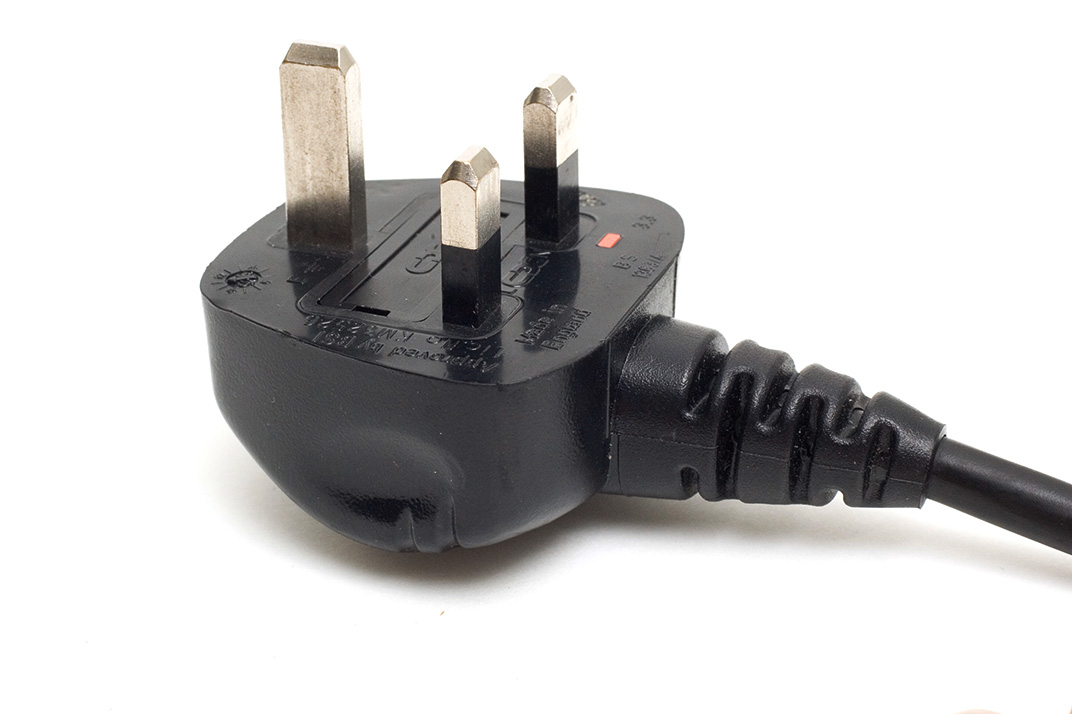
So what does this actually mean for photographic equipment? Cameras are not covered by PAT but the batteries and chargers are. Batteries used in 99% of cases are contained and sealed and therefore should only require a visual inspection. Damaged terminals or cracked casings can mean that equipment is not safe and the item should either be disposed of or inspected by an approved repair centre.

Please remember that all batteries now have to be disposed of under the Waste Electrical and Electronic Equipment (WEEE) and Restriction of Hazardous Substances in electrical and electronic equipment (RoHS) directives aim to reduce he quantity of waste from electrical and electronic and increase its re-use, recovery and recycling. The RoHS directive aims to limit the environmental impact of electrical and electronic equipment when it reached the end of its life. It does this by minimising the hazardous substances of legislation controlling hazardous substances in electrical equipment across the community.

PAT covers all cables and all electronic equipment rated at over 40Watts – which means pretty much everything that we use. The cables, leads and plugs connected to class 1 equipment (everything we use apart from lighting) should be checked visually for damage, breaks and past repairs on a regular basis and should be checked properly on a cycle of between 6 months and 4 years depending on exactly what it is. In practice that means every six months for cables and every year for power adapters, extension leads and battery chargers. Heavy duty batteries and mains powered lights should be professionally tested at least every two years and more regularly if they are subject to heavy use.

Travelling with batteries

The International Air Transport Association (IATA) in association with the International Civil Aviation Organisation (ICAO) and the United Nations (UN) set clearly defined rules regarding the air transportation of Li-Ion batteries.

From January 1st 2012, the 53rd Edition of the IATA Dangerous Goods Regulations requires the independent testing of each type of Li-Ion battery, not just the individual cells, to ensure that the design and construction are compliant with the stringent United Nations regulations. This is a costly process for the manufacturer, but it should assure you, the customer, that the battery design is safe and of the highest possible professional standard. You should check with the manufacturer  of each type of cell whether they comply with the regulations before you travel by air or on certain rail journeys which feature long tunnels.

  • Check-in of Li-Ion batteries is not allowed unless the battery is attached to the camera or the equipment it powers
  • An individual may take on-board, in hand luggage, an unlimited number of Li-Ion batteries that have capacities of 100Wh or less.
  • Li-Ion batteries that have capacities greater than 100Wh, but less than 160Wh, are restricted to 2 items per person, in hand luggage.
  • Li-Ion batteries that have capacities greater than 160Wh cannot be taken as hand luggage or checked-in under any circumstances.

How long does gear last?

When I teach new photographers the business studies element of what it is to be a working photographer I go through a whole exercise which adds up the cost of the gear and then divides that cost by the number of working days that it might be expected to last before you need to replace it. My formula was mentioned in a previous post and I try to be realistic about the life span of the principle kit that we need. Camera bodies, for example, last somewhere between two and three years on average whereas lenses last four, five or even six years. It’s a simple idea and when you add it all up you come out with a figure that represents the amount of money it costs to be a photographer based on working a fixed number of days per year. For most photographers that’s around the £45 – £60 mark.

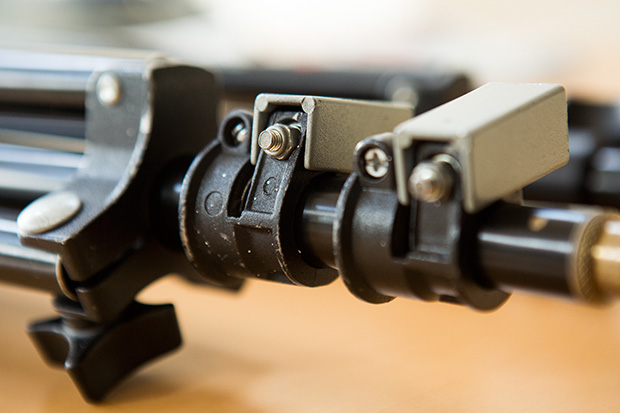
©Neil Turner. March 2014. My Elinca branded lighting stand that is at least 21 years old

©Neil Turner. March 2014. My Elinca branded lighting stand that is at least 21 years old

Some gear, such as tripods and equipment bags last a lot longer and there’s good evidence to say that a Pelican case is for life as long as it doesn’t get stolen. I was looking at some kit this morning and making sure that I had everything that I needed for a two-day job over the weekend when one of my lighting stands came apart. That got me thinking about how much this stand had cost me on a ‘per day’ basis since I bought it somewhere between 1990 and 1993. I won’t go into how I can narrow the dates down but let us say that it is at least 21 years old. At today’s prices this stand would probably cost about £70.00 (but probably cost me a lot less) and by dividing that by 21 you can see that it has cost me £3.33 a year. That’s a meagre £0.26 a month or, if I work 150 days a year that’s £0.02 per working day.

I have used lighting stands every single working day since then and, whilst it hasn’t always been this one, my preference for a specific brand seems to be justified by the way that they take a battering. That brand is Manfrotto – even though this one is labelled “Elinca SA” it is clearly a version of an older Manfrotto 052 model (not the same as the current 052 or 1052) because it is almost identical to another stand that I have which is labelled “Manfrotto 052”. I also have a pair of identical lighter-weight stands where one is branded Manfrotto and the other is branded Lastolite and a pair of tiny stands where one is Manfrotto and the other is Bogen. It doesn’t take a genius to work out that one manufacturer was/is making them and that they were/are being sold under many labels.

Going back to the stand itself, when I say “fell apart” what I mean is that this stand came apart at one of the connections. When I had a good look it was obvious that it had lost a bolt and nut that tightened around the metal tubing keeping it in place. Three minutes later, I’d found a suitable replacement amongst the bits and pieces in my garage and the stand was fixed and ready for a lot of action over the next weekend. So that’s a lighting stand of extreme professional quality that costs me two pennies a day – what a bargain! Of course I have forgotten to add the maintenance costs – £0.12 for the bolt that I fitted today plus my labour at a maximum of ten minutes.

For the record, I have three Manfrotto tripods (all with Manfrotto heads), three Manfrotto monopods and a case full of their accessories (Super-clamps, suction clamp, low-level stand, quick release adapters, a boom and so on). I reckon that I have about £1,000.00 worth of Manfrotto gear in total – most of which is over ten years old and some of which is over twenty years old.

Manfrotto haven’t paid me for this blog post, nor have I spoken to anyone from the company or any of their distributors or retailers. I just think that their kit is pretty good value for money. Of course, if they want to offer me a retrospective bribe…

My Fujifilm X20 – the final word?

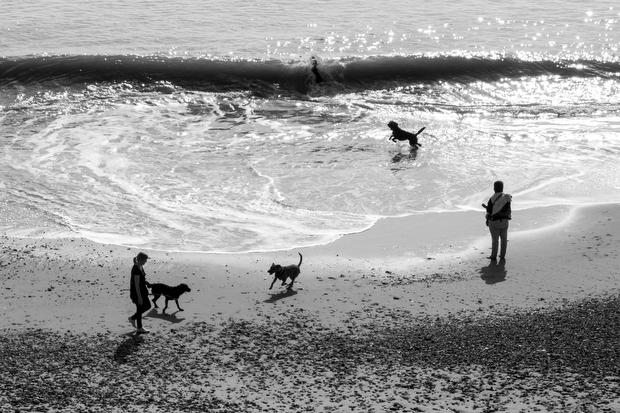
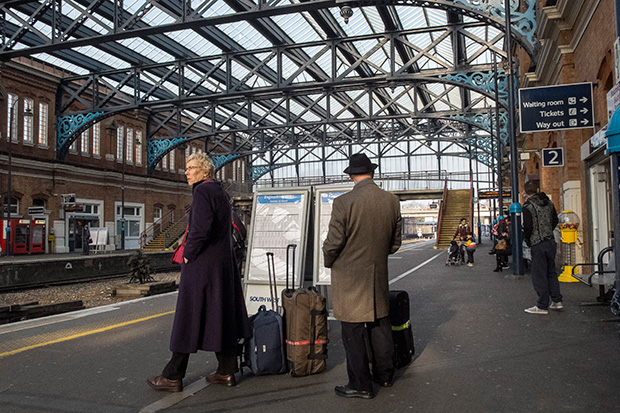
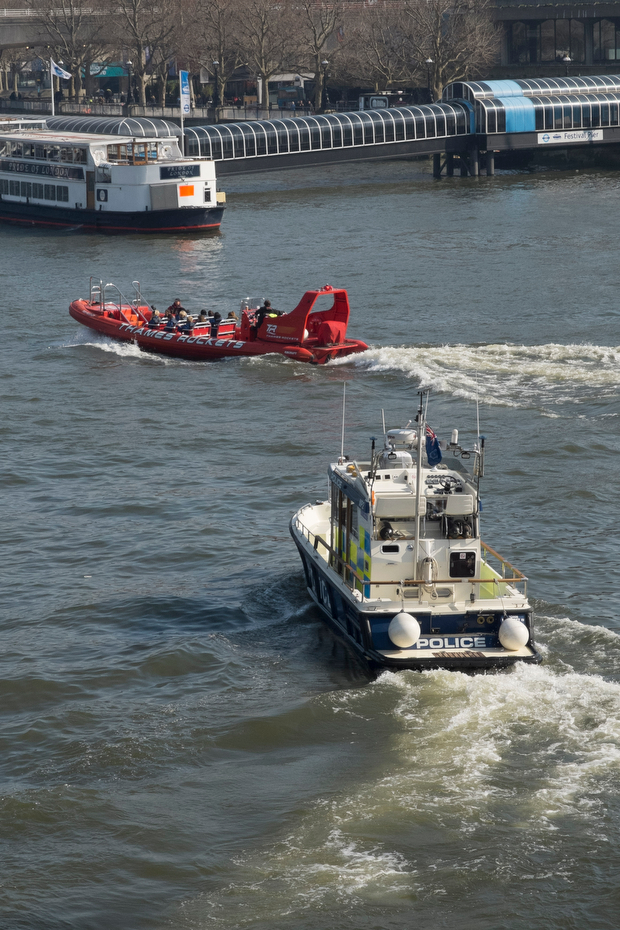
It’s amazing how often a casual conversation or a quick exchange on a Facebook group can spark a train of thought. Earlier today a comment by a friend and fellow photographer about how a photo sharing site had made him look around him and start taking pictures for the love of it again. I agreed whole-heartedly and began to think about uploading a few more pictures here. That moved my train of thought onto the various reviews and updates that I’ve written on this blog and elsewhere about the Fujifilm X20 that has been my almost constant companion for the last 11 months. So what I decided to do was to say a few words to summarise my experiences with this camera and add some pictures shot in the last couple of weeks.

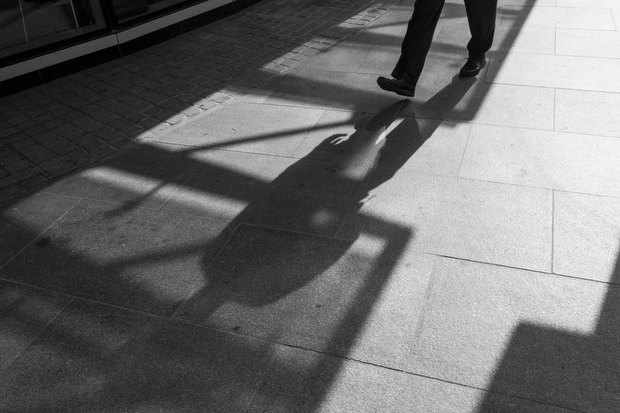
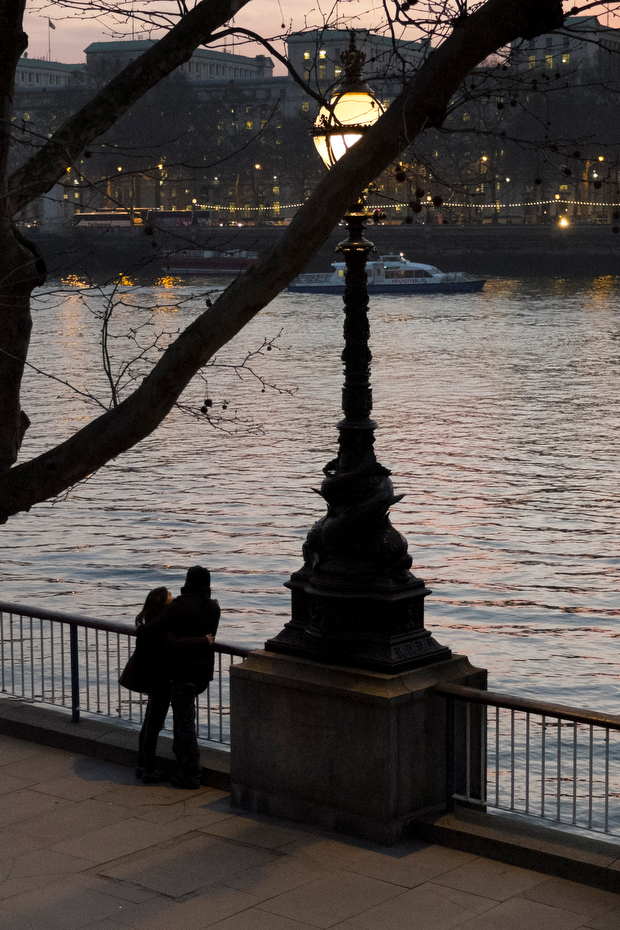
©Neil Turner, March 2014. The photographer's shadow forms part of the scene as an elderly couple walk along South Bank of the River Thames in London.

©Neil Turner, March 2014. The photographer’s shadow forms part of the scene as an elderly couple walk along South Bank of the River Thames in London.

In general, my opinions about this camera have barely changed since I posted the first update back in mid April 2013. Given the product cycle that Fujifilm seems to gallop through the X20 is probably about to be superseded anyway but I thought that I’d offer some advice to make this camera (that I still like very much) better if they want to bring out an X30.

  • The battery life has to improve. Despite doing everything possible to limit power drain I get through two batteries a day when shooting with ordinary SD cards and up to four batteries a day when I’m using one of my Eye-Fi cards. This makes a cool and convenient camera a lot less convenient and pushes up the cost of ownership – even if you go for third party spare batteries.
  • Start-up delay. About once in every third time I switch the camera on it takes three or four seconds to adjust and get the exposure correct. The first picture is often three or more stops over-exposed.
  • Autofocus at the telephoto end of the range. My camera sometimes refuses to auto focus when the lens is zoomed all the way to the 112mm equivalent end of its range.
  • The review time options for looking at images you have just shot are too restrictive. There are no options between 1.5 seconds and zoom (unlimited).
  • The built-in flash isn’t compatible with the lens hood – you get shadows and so to use that function you need to remove the hood.
  • The video isn’t great – but I didn’t buy this camera to shoot video.

On top of all of that it would be great if the focal range went from 24-120, the camera had two SD slots and if there were lens correction options for Adobe Camera RAW because at the 28mm end there is the slightest barrel distortion.

This is a great camera and I love using it. I am seriously tempted by the X100S too. Having borrowed one for an extended period, I would very much like to own one. Fujifilm have done a great job with their X-series cameras and they should be very proud of the effect that their cameras have had on a lot of very old and very picky professionals (like me) who all grin like idiots when using the kit. So now, without further ado, here are a few more recent X20 images for you…

So there you go Fujifilm… bring on the X30…

The light on the train

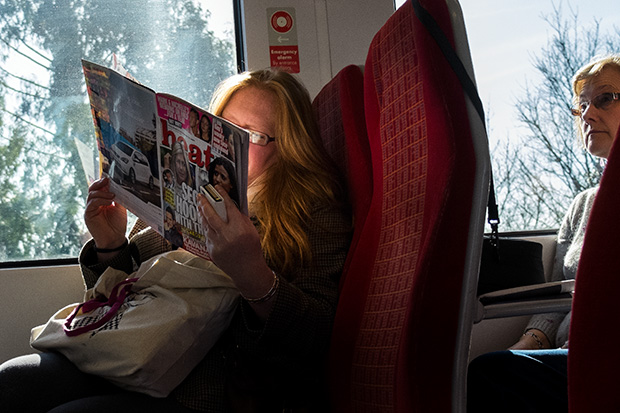
March 2014. Passenger on the train between Bournemouth and London Waterloo reading HEAT magazine as the train passes through Woking. ©Neil Turner

© Neil Turner, March 2014. Passenger on the train between Bournemouth & London Waterloo reading HEAT magazine.


Every once in a while I take the train to London for meetings and the occasional job where I don’t have to carry half a ton of cameras, lights and computers. One of my favourite ways to pass the time is to do a bit of train photography and yesterday’s journey gave me a few nice frames where the light was good. Normally I just bung them from the camera (in this case my adorable Fujifilm X20) via an Eye-Fi card onto my iPhone or iPad and then straight to Twitter or EyeEm. I rarely give them a second glance when I get home but I wanted to post this picture because of the light. The sun was coming at just the right angle to reflect a lot of light back into the woman’s face from the pages of Heat Magazine at exactly the same time as the woman sitting behind her appeared to be getting interested in the page through the small gap between the seats. I have no idea if she was actually looking at the page or whether it was a happy coincidence – either way, the light made me do it!

This frame was taken about five minutes after I’d posted a similar but inferior one on EyeEm so I kept it and decided that it would make a nice “just because” picture on this blog. I’m sure that I’ll get around to writing something more serious soon…