canon

Whilst I was out…

Whilst I was out shooting some pictures for the EOS5D Mark IV Update I shot a small set of pictures that reminded me that it is almost inevitable that you find interesting human stories whenever you are out shooting pictures. I met and chatted to a former Royal Marine who had donned his green beret and his medals to come along at the eleventh hour to honour one of his relatives –  a Royal Marine Musician – who died when the ship he was on, HMS Hood, was sunk in 1941.

A moving gesture from a man who had himself served for over 27 years for a relative and fellow Marine who he had never met.

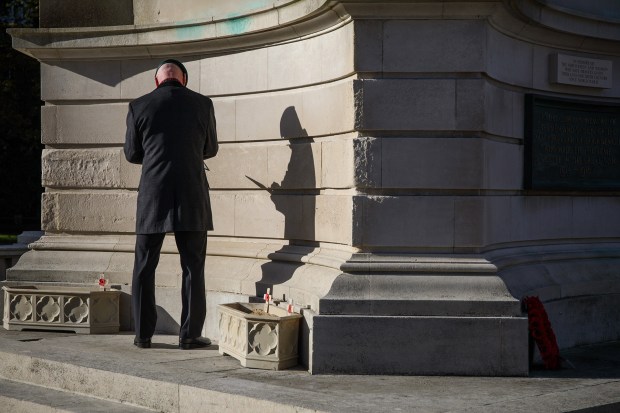
Mark Tapping who served 27 years in the Royal Marines places a framed photograph of his relative Royal Marine Musician Albert Pike who died when HMS Hood was sunk on the 24th of May 1941. Armistice Day at the War Memorial in Bournemouth 11 November 2016. Bournemouth, United Kingdom. Photo: Neil Turner

Mark Tapping who served 27 years in the Royal Marines places a framed photograph of his relative Royal Marine Musician Albert Pike who died when HMS Hood was sunk on the 24th of May 1941 on the memorial. Armistice Day at the War Memorial in Bournemouth
11 November 2016. Bournemouth, United Kingdom.
Photo: Neil Turner


EOS5D Mark IV Update

screen-shot-2016-11-11-at-12-12-49

A few weeks ago I wrote on this blog about the wifi potential of the Canon EOS 5D Mark IV and I have been using three of its functions pretty heavily on jobs over the intervening period. It wasn’t hard to learn all about the system having used a number of different wireless systems over the last three or four years and my first impressions were very favourable. There are definitely one or two changes that I’d like to see Canon make (preferably in a firmware update) but the system has been remarkably stable and reliable. It’s wireless which means that there will be glitches but I’d stick my neck out here and say that this is the best wifi that I’ve used given that 1) it is built-in and 2) doesn’t require any extra gadgets or adapters.

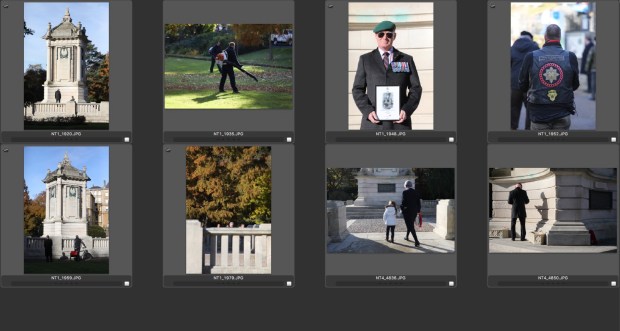
Today is Armistice Day – the anniversary of the eleventh hour of the eleventh day of the eleventh month when the guns finally fell silent at the end of the Great War in 1918. I had no jobs on and so I took myself down to the War Memorial in the centre of the town where I was born to pay my respects and to give the wireless on the Mark IV a real world test that I could actually share with you. (more…)

Lightweight lighting

portralite_both

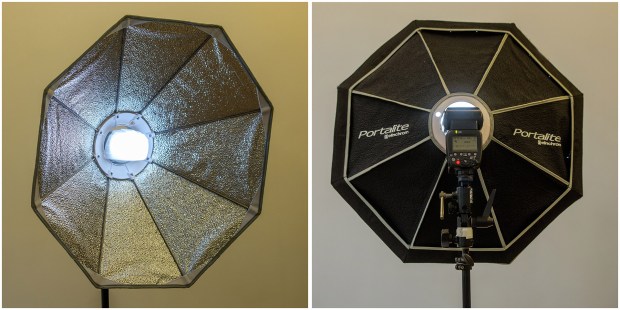
Front & rear views of the Elinchrom Portalite pressed into action.

Anyone who follows this blog knows how much I like using the Elinchrom Ranger Quadra system for a lot of my work. Next week I have a job coming up where I need to be able to pack light and rush around and I have been perfecting using the Canon radio slave system so that I can just use my Speedlights and a couple of tiny stands on the job. Whilst playing around I thought that I’d see how easily I could attach an old Elinchrom Portalite softbox to the Canon and the answer was “frightningly easily”. The Canon Speedlight 600EX II-RT comes with a diffuser cap and just popping that onto the flash after the flash tube section had been pushed through the plastic Quadra mount held the softbox rather well. I could easily add some foam tape or some velcro but this will stay in place unless I shake it around. It’s a bit smaller than I’d like a softbox to be but it is supremely light and so I’ll just have to get it that bit closer to the subject.

The Portalite folds up really small too and so I have another choice when I’m shooting. I will probably use a Westcott double folding umbrella most of the time but it really does pay to have options. Best of both modifiers work absolutely brilliantly with the Canon wireless remote set up with the ST-E3-RT transmitter and the RT flash. From testing today the recycle times on the 600EX II-RT are better than any Speedlight that I’ve ever used before and because of that I’m more than happy to work this way for this specific job.

First impressions of the EOS5D Mark IV wifi

5d4_close_up

The Canon EOS5D Mark IV – the first professional DSLR from Canon with a fully functioning wifi capacity built-in.

When Canon announced that they had added a wifi capability to the new EOS5D Mark IV I was simultaneously surprised, delighted and apprehensive – emotions which have in turn given way to a sense of relief. Wifi was a feature that many photographers had asked manufacturers to implement over a number of years and we had always been told that there were technical reasons why it couldn’t be done and that most buyers simply didn’t want it. The rise in popularity of limited wifi in consumer and ‘prosumer’ models told a different story and Canon did the right thing by including it in this latest release.

The surprise element came because very few of the rumours that preceded the announcement of the Mark IV mentioned wifi at all. A lot of those people awaiting the new camera had resigned themselves to another generation of cameras with bolt-on accessories to handle rapid image transmission. (more…)

32 Months with the MkIII

SHM: The Vitality London 10,000

Lily Partridge of Aldershot Farnham and District crosses the line to win the women’s race. The Vitality London 10,000, Monday 30th May 2016. Photo: Neil Turner/Silverhub for Vitality London 10,000

Whenever you read about a camera the reviewer has usually had it in their hands for a few days and taken a few hundred frames with it. I’ve done it myself with all sorts of kit and I find it interesting that one of my most popular blogs  (a review of the original Elinchrom Ranger Quadra) was written when I had been using the kit for 32 months. As luck would have it I have been using Canon’s EOS5D MkIIIs for 32 months now and as the announcement of it’s widely leaked successor is only a week away I thought that now would be an excellent time to blog about my long-term opinion of these interesting cameras.

By the time my first MkIII arrived I had been shooting for almost five years with its predecessor – the Canon EOS5D MkIIs. I had grown to love the MkII despite its many quirks and faults and I knew them inside out and backwards. I had owned three of them at various times (never fewer than two) and had shot somewhere near half a million frames with them. In some professional circles that would qualify as barely worn in (more…)

Canon feature request?

I had an email from someone who has followed my blogs for many years this week. He’s a working news photographer who I bumped into on a job a few weeks ago. He had noticed some tape on the top of my Canon EOS5D MkIII and my EOS 7D MkII and simply pointed to his cameras and said “snap”. He had tape on his cameras too – doing precisely the same job that the tape on mine does and went on to ask what the chances of Canon making a change to future cameras that would eliminate the need for us to tape that particular feature on our cameras. The email was to remind me that I had promised to do a quick blog post about the issue.

Taped diopter adjustment on a Canon EOS 5d MkIII

Taped diopter adjustment on a Canon EOS 5d MkIII

The tape on our cameras holds the built-in diopter adjustment dial and stops it from being moved in the bag or over your shoulder – something that happens to me a lot if I remove the tape. I have no idea if anyone from Canon’s design department reads this blog (I doubt that they do) but it seems to me that if enough of us sufferers from this problem mention it to them when we talk to them then they just might do something about it. Nikon have a lock on the diopter adjustment on some of their professional cameras so it has to be relatively easy to do.

The EOS5D MkIV will be appearing later this year if all of the rumours are to be believed so this may be a little late but you have to give these things a try.

Canon employees and dealers reading this… please help to reduce my gaffer tape bill. Soon. Please.

So I bought a Canon 7D MkII

I wrote a long blog post about this time last year talking about the choice between three of Canon’s full-frame DSLR cameras. At that stage in my work I couldn’t imagine buying another crop frame camera after selling my original EOS7D and giving my opinion of it as “loving everything about the camera apart from the image quality above 800 ISO”. Well, hold the front page – the EOS7D Mk II can handle ISOs a fair bit higher than 800.

Cropped area of approximately a frame shot at 3200 ISO blown up to 100%

Cropped area of approximately a frame shot at 3200 ISO blown up to 100%

In the frame above shot at 3200 ISO you can see some noise in the out of focus areas but it isn’t nasty and it isn’t overwhelming. In the sample shot under ‘press conference’ conditions at 1600 ISO I think that the camera performed brilliantly. I would say that the MkII is at least two stops better in low light than the original 7D and maybe a bit more under certain lighting conditions and those two stops are the difference between a camera that is very usable as an every day available light camera and one that isn’t.

So far I have been delighted with it. I’ve used it on ten assignments already and it is rapidly becoming one of those things that goes into the bag first. (more…)

Thinking on your feet

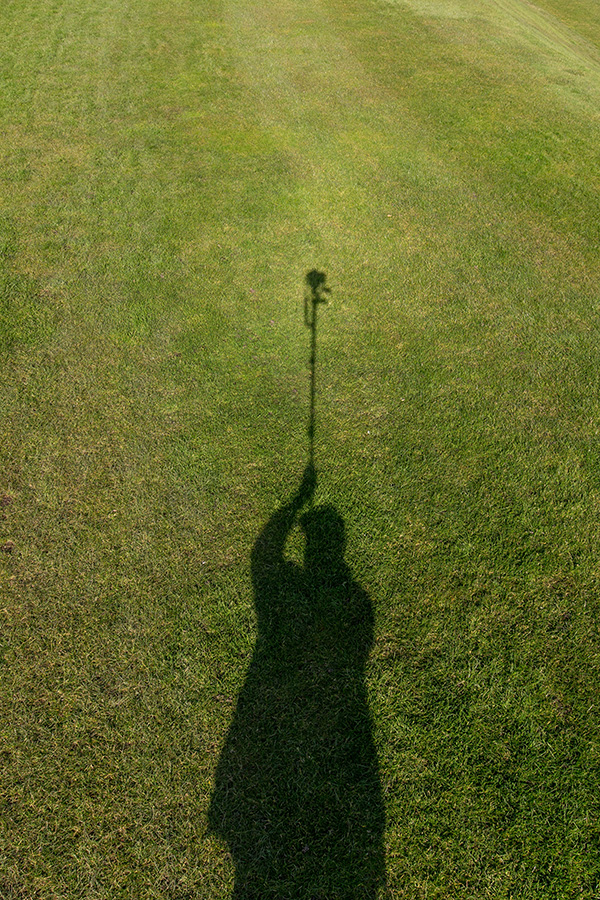
My shadow using a monopod to get a high angle picture. March 2016 ©Neil Turner

My shadow using a monopod to get a high angle picture. March 2016 ©Neil Turner

I was out shooting a job yesterday and needed to get quite a bit of extra height. The best place to shoot the picture from was on the side of a grassy hill which was very wet and the client’s health and safety policies meant that it wasn’t going to be easy to use a step ladder – whilst building a tower was outside the budget. In an ideal world a proper pole-cam or even a drone would have been the best option but the light was right and I needed to improvise.

Having used the Canon EOS6D as a remote via their iPhone app once before I was reasonably confident that my idea would work but the app has been replaced/updated and it meant learning the new one on the job. I had a basic monopod, a tripod head and a Manfrotto Super Clamp in the car but no proper way to attach the phone to the monopod to use as a viewfinder and remote release. With a proper pole-cam you rest the base of the pole on the ground and it is pretty stable. You also have a cradle for the phone or even a tablet if you want to go bigger. I had to tuck the foot of the monopod into my belt to get enough height but I had about an hour so I went into full “1970s Blue Peter” improvisation mode.

The cradle that holds my iPhone in my car was pressed into service and that attached very easily to the Manfrotto Super Clamp. Having extended the monopod to its full height I then attached the clamp to the second stage of the monopod (about eye-level when the whole thing was in use I guessed). Then I stuck the tripod head onto the monopod tilting down a little and put the EOS6D with a Canon 16-35 f4L IS lens on it. Whilst all of this was being done I was downloading the latest Canon Camera Connect app from the Apple App Store.

After a few minutes messing with settings I had the system working. I could use the phone as a viewfinder and a remote release for the Canon DSLR and I set about shooting the pictures without leaving the ground myself. After a minute or two I decided that I needed more height to look down on the subject a bit more and so I tilted the tripod head down a little and when I put the camera back into the air the foot of the monopod was resting on my chest. Even with a camera as light as the 6D I couldn’t hold it up for more than a minute at a time but we got the shot and I only got pointed at (and laughed at) by a small handful of passers-by. I wouldn’t want to have to work this way very often but, having just edited and uploaded the pictures, I know that I have a “Blue Peter”** solution that works.

** Blue Peter was required viewing as a child growing up in the 1970s. They always showed you how to make useful things from odds and ends lying around the house.